At a glance
- Category
- Tool Walkthrough
Use one retained stock count across printing and other goals, while keeping missing counts and access conditions visible.
Follow the steps
Open a clean plan
From Prepare, open Combine missions, printing and base upgrades in one plan. New plan starts a fresh working scenario; save an existing draft before replacing it.
Look for: The combined page is headed One stash. Your next goals.
Count retained stock
Open Your retained stock. Select Synthetics, enter 45 Held and 0 Reserved elsewhere, then Record stock. Repeat with Chemicals 30. Use your own counts outside this demonstration.
Look for: Recorded stock is associated with this scenario. A count collected during a run is not automatically retained Stash inventory.
Leave uncounted items unknown
Only check I counted all stock; omitted items are zero after a complete inventory count. Reserve any amount you need for other commitments.
Look for: Without a complete count, omitted ingredients remain unknown. Reserved amounts cannot be spent by this plan.
Read the independent maximum
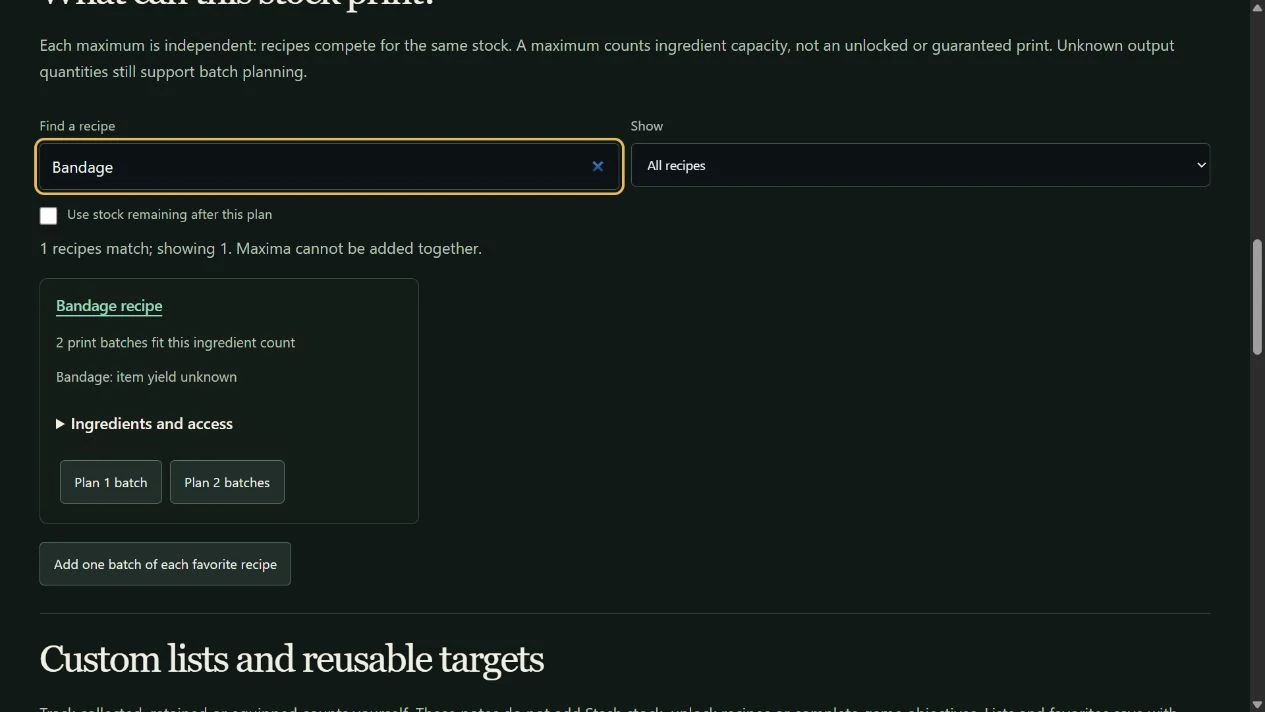
In What can this stock print?, search Bandage. Open Ingredients and access. Read the per-batch bill and prerequisites before using Plan 1 batch or Plan 2 batches.
Look for: The demonstration supports two print batches, with Chemicals limiting the count. Item yield stays unknown when its quantity is not established; capacity is not unlock confirmation.
Add competing goals
Choose Plan 2 batches. Add another recipe, item, mission or FOB goal if needed. Compare the shared shopping list and remaining stock. Use Use stock remaining after this plan to inspect spare ingredients.
Look for: Existing stock is allocated once across the whole plan. Each recipe maximum shown alone is independent; adding maxima together would spend the same stock twice.
Save the scenario explicitly
Open Saved plans and sharing, choose a name and use Save on this device. Reopen that saved scenario through Preview restore when returning later. Recount stock after a deployment.
Look for: A saved scenario appears in the list. Saving is browser-local; it does not update game inventory or synchronize an account.
Keep the scope clear
- Printing is conditional on the stated ingredient bill and access. A maximum is not a guarantee that you own the recipe, meet progression requirements or have the Printer available.
- A print batch and an output item are different units. Unknown output yield does not become one.
- Recipe discovery shows individual capacities. The plan performs shared allocation; unrelated reported acquisition methods do not become measured farming rates.
Change your mind or recover
- Remove or reorder a goal to recalculate allocation. Correct a retained stock row after recounting it.
- Save your current draft before New plan or a restore. Preview imports before replacing the workspace, and cancel when the preview is not what you intended.
See the actual controls
Demonstration data in the DmzNow website. Open an image for the full view; the written instructions above contain the same steps.