At a glance
- Category
- Tool Walkthrough
Track your own targets while keeping list notes separate from the stock that a plan can spend.
Follow the steps
Create a named list
Open Custom lists and reusable targets in combined preparation. Enter a New list name and choose Create list. Select it in Working list.
Look for: The list becomes the selected working list. It remains part of the current scenario until you save that scenario.
Add a recipe bill
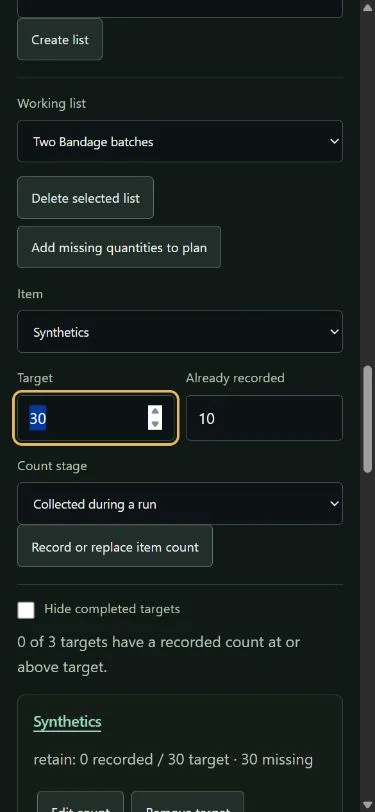
Open Recipe → selected list. Choose Bandage recipe and 2 Print batches, then Add known ingredient bill. Read any warning if a bill is missing or conflicting.
Look for: Known per-batch quantities become ingredient targets. This adds requirements, not inventory or permission to print.
Record the right stage
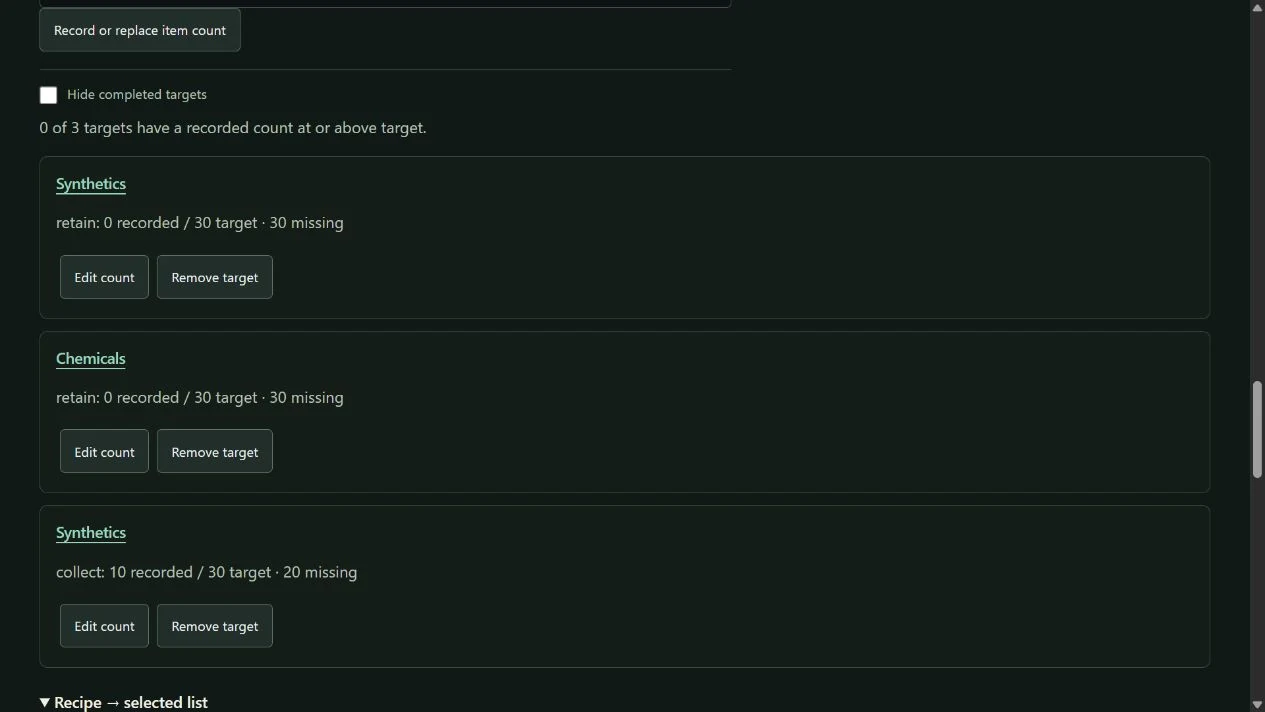
Select Synthetics, Target 30, Already recorded 10 and Count stage Collected during a run. Choose Record or replace item count. Use Retained in Stash or Equipped only when that is the actual stage.
Look for: The collected row is separate from the retained recipe-bill row. Recording a list count does not add stock or complete a game objective.
Inspect and edit the counts
Use Edit count on the appropriate row to correct its target or recorded count. Hide completed targets changes the view; it does not erase them.
Look for: Every visible row names its stage, recorded count, target and missing amount. A different stage is a separate row, not a transfer.
Send missing amounts to the plan
Choose Add missing quantities to plan after checking the selected list. Inspect the resulting acquisition goals.
Look for: Missing amounts become fresh acquisition goals with their relevant completion stages. Existing list counts and retained stock are not credited a second time.
Keep or share the right copy
Save the named scenario to keep its lists and favorites on this browser. Use a private JSON backup if moving these personal inputs.
Look for: A goal-only share link excludes custom lists, recorded counts, stock, plan name, favorites and preferences.
Keep the scope clear
- Collected is not retained: failed extraction can change what you keep. Equipped is also a separate stage.
- Custom list notes do not consume or create Stash items, unlock a recipe, mark an Order complete or make a boss kill count official.
- Adding a recipe bill preserves recorded counts; inspect the targets before adding the bill again.
Change your mind or recover
- Use Edit count or Remove target to correct a row. Delete selected list removes that list from the working scenario; keep a saved copy or backup first when needed.
- Remove accidental acquisition goals from the plan. A cancelled import leaves saved stores unchanged.
See the actual controls
Demonstration data in the DmzNow website. Open an image for the full view; the written instructions above contain the same steps.