Get familiar with equipment, menus, vehicles and rewards before your next run.
24 published illustrations. Individual cards identify their subject; contextual boards show a group or menu. Use the linked reference for recipes and requirements.
FOB and Operator menus
Recognize the stations, Orders and trait menus used between deployments.
Trait trees and Operator points
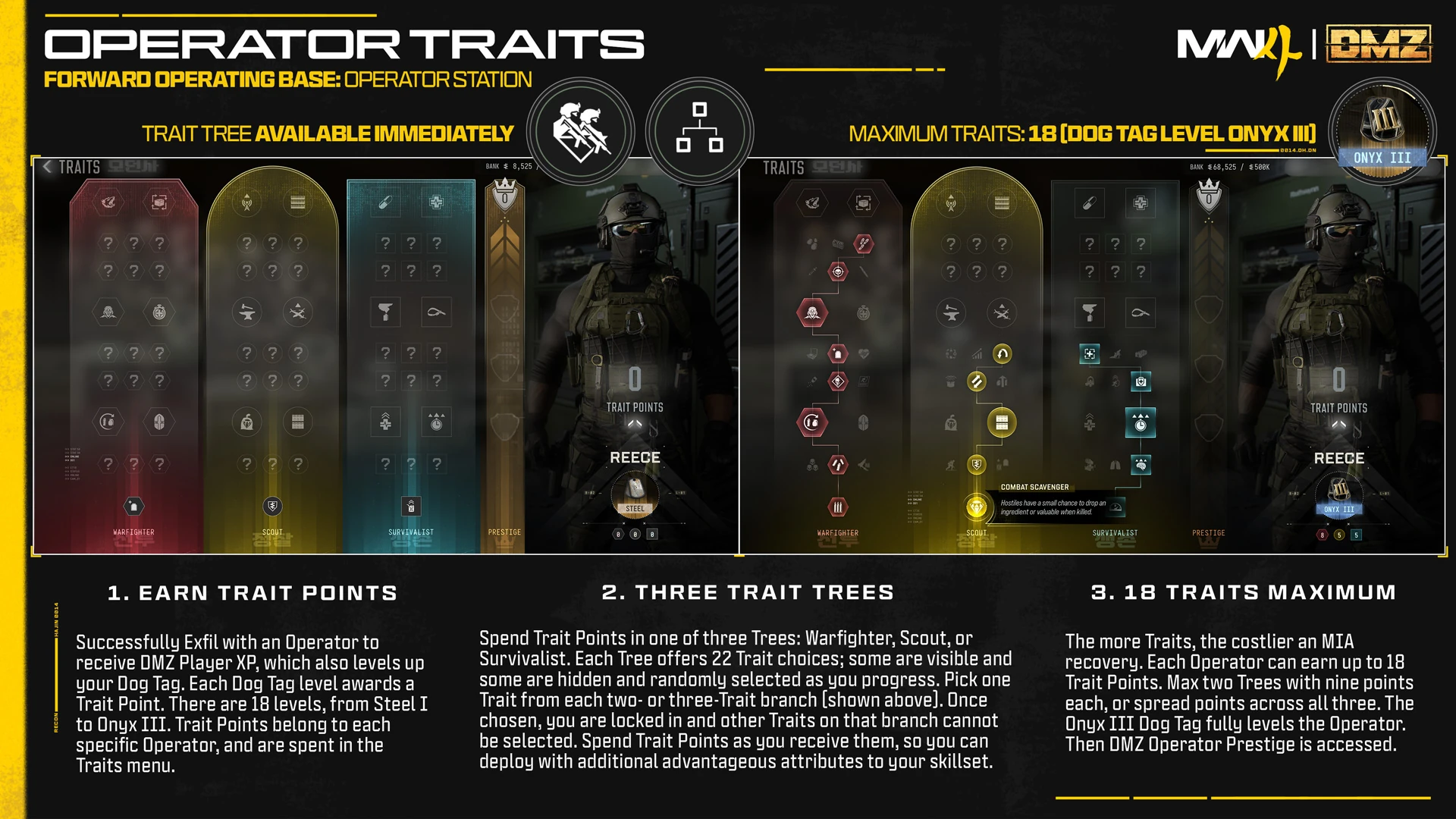
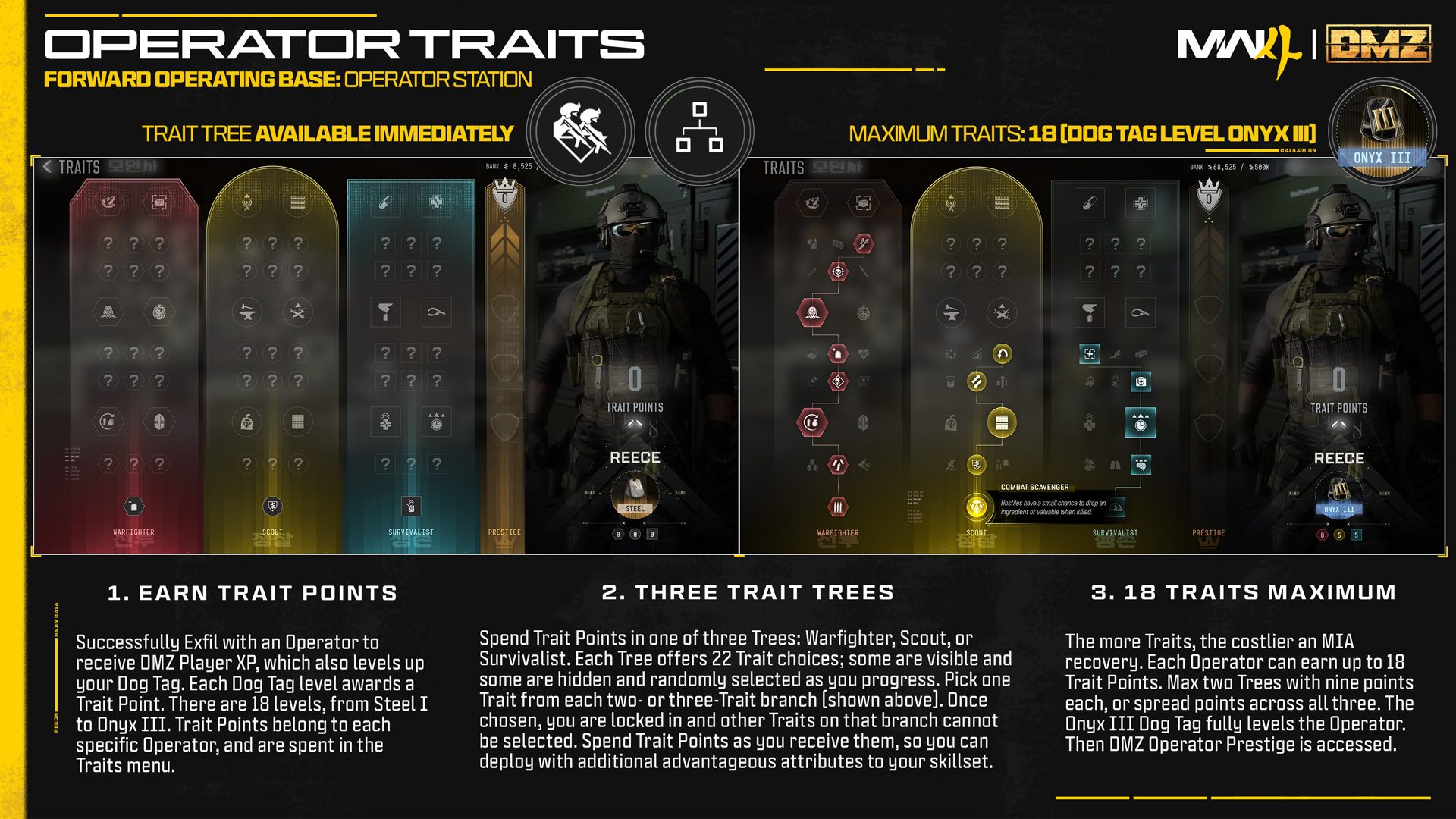
The three trait trees, before and after example selections. Hidden nodes vary by Operator; this illustration does not identify every trait icon.Image: Activision / Call of Duty · Original image ↗
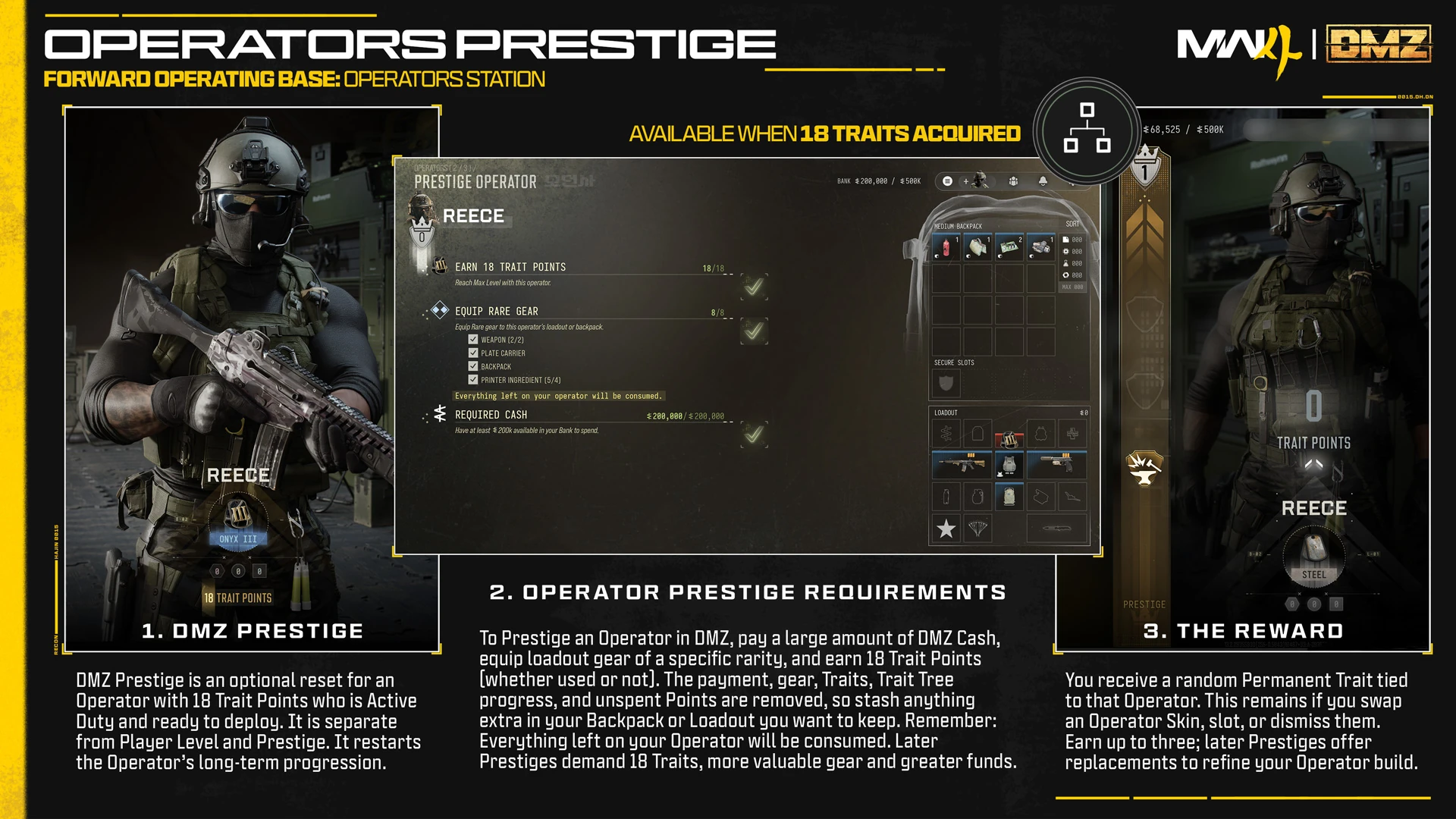
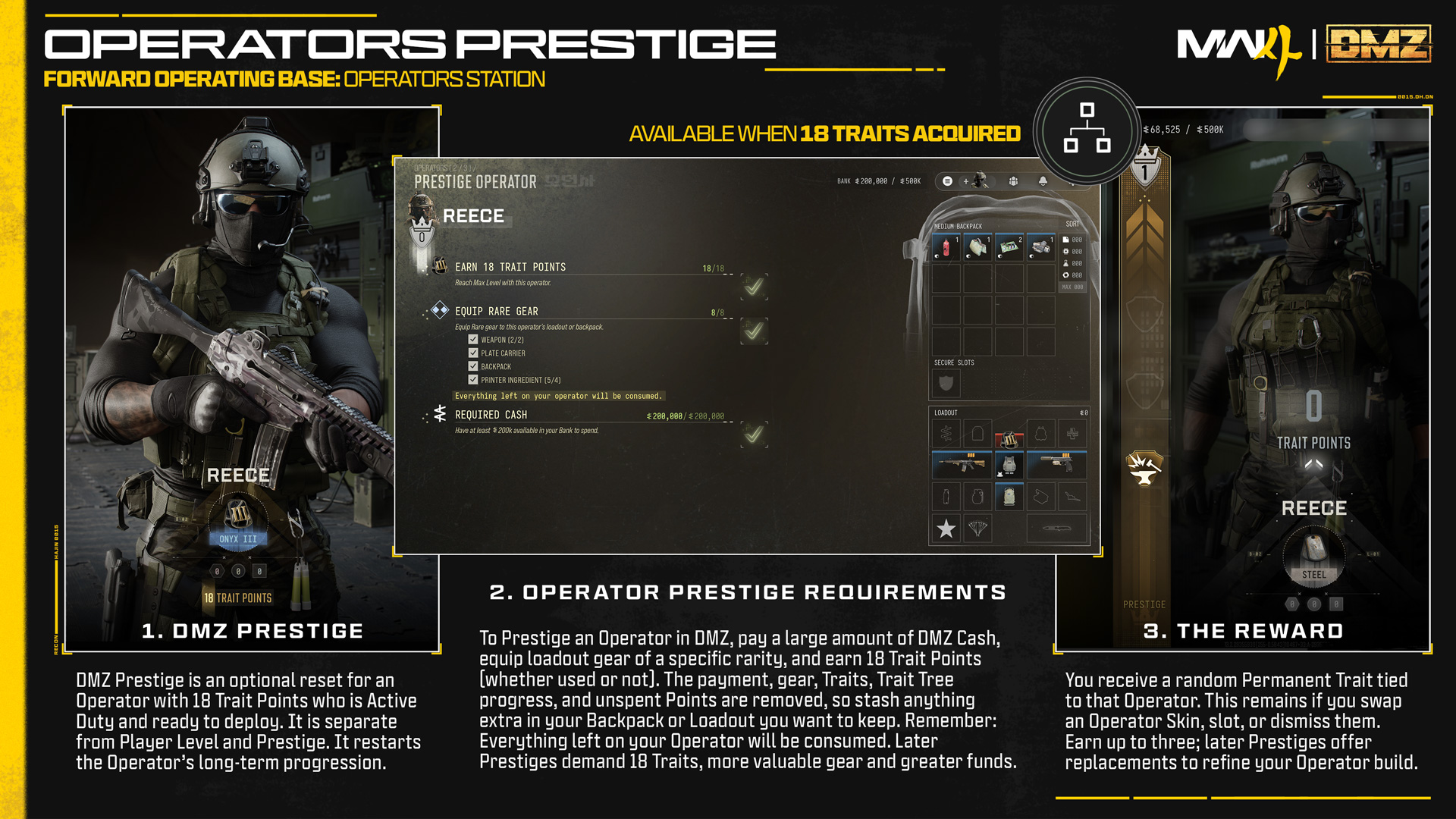
Operator Prestige shown with Reece as the example. The selected gear and displayed cash are the publication’s example, not a live account or a shopping list.Image: Activision / Call of Duty · Original image ↗
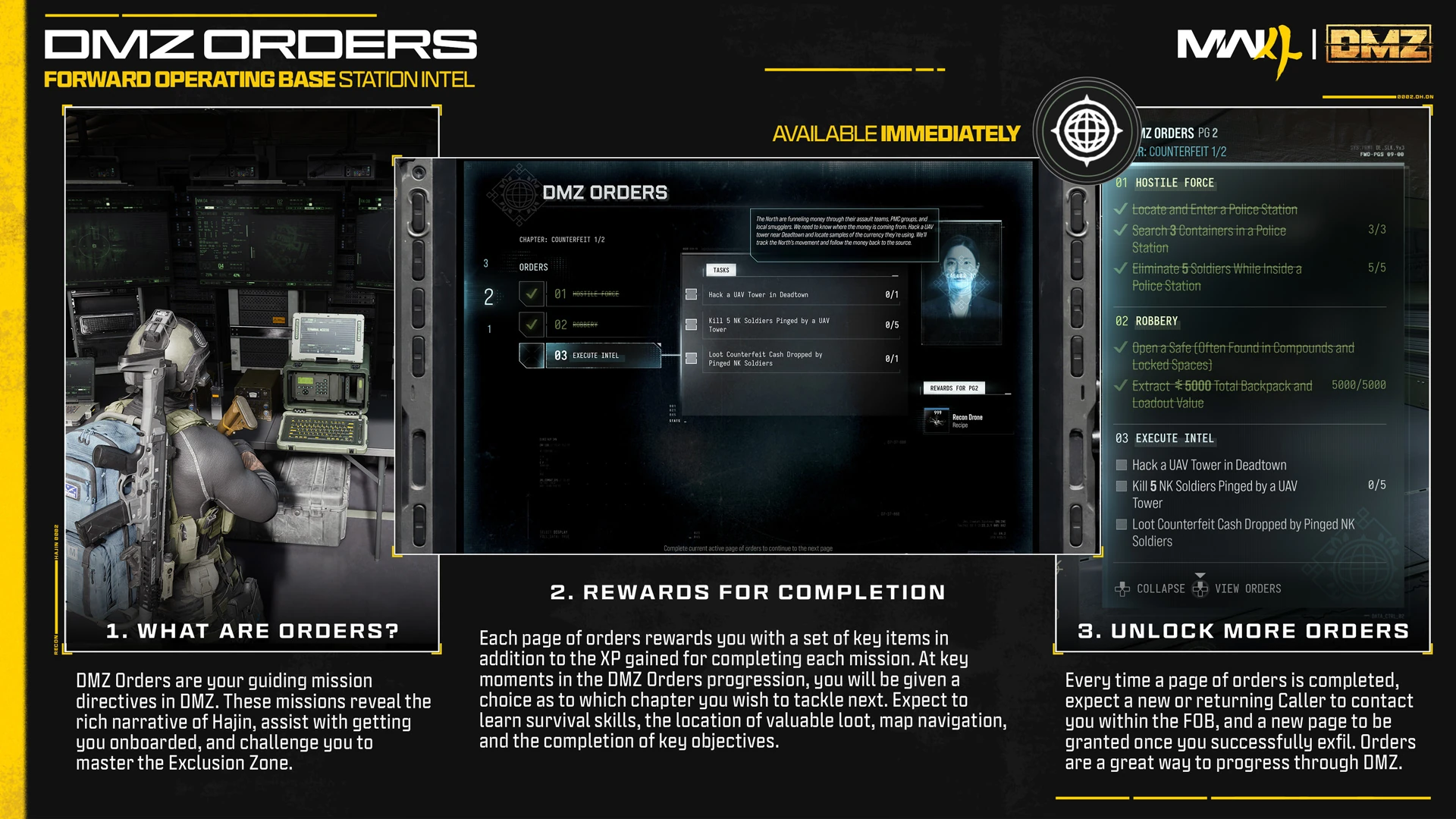
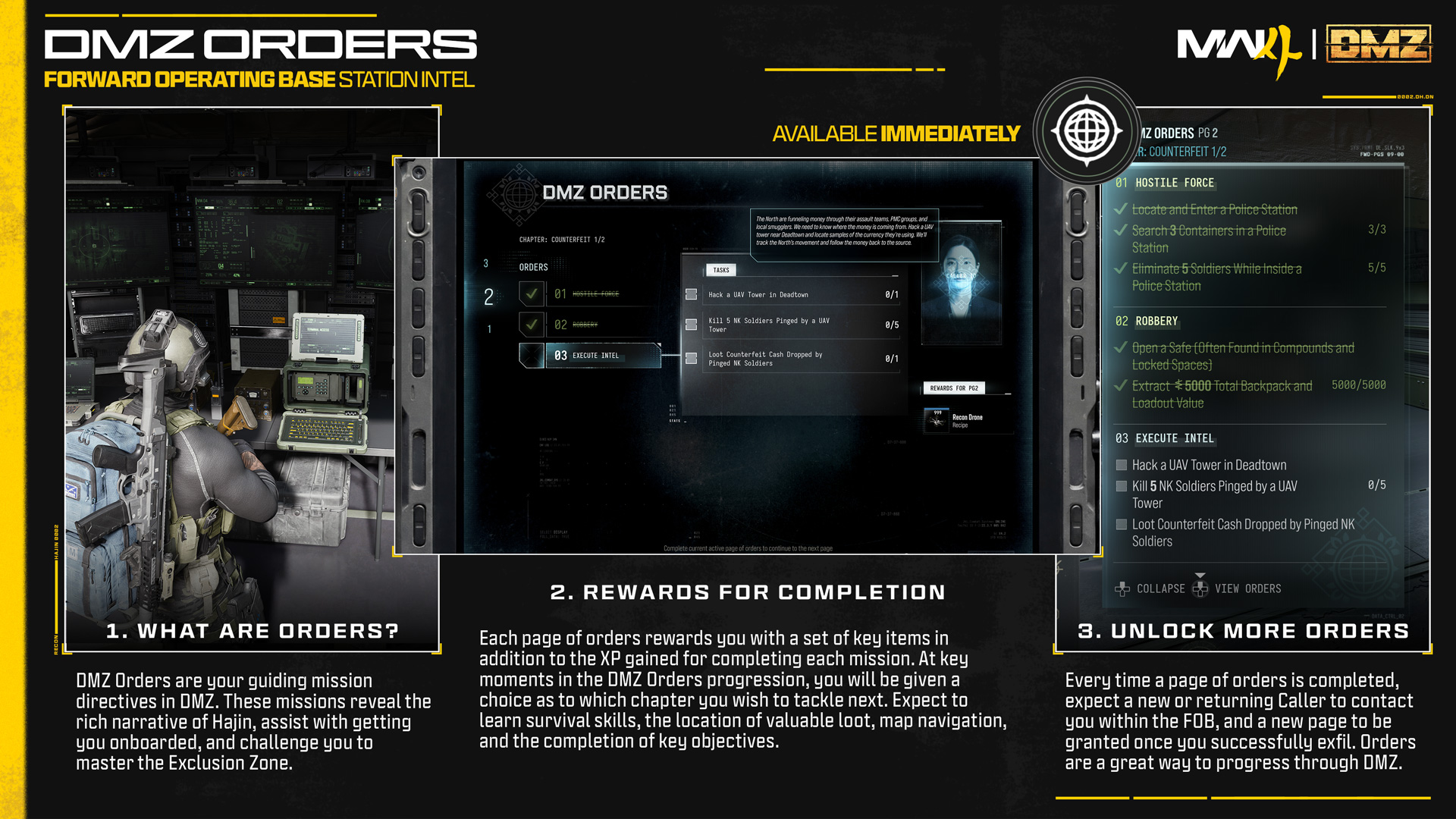
The Counterfeit 1/2 Orders page: Hostile Force, Robbery and Execute Intel. The reward panel belongs to the page; it is not a separate reward for every displayed objective.Image: Activision / Call of Duty · Original image ↗
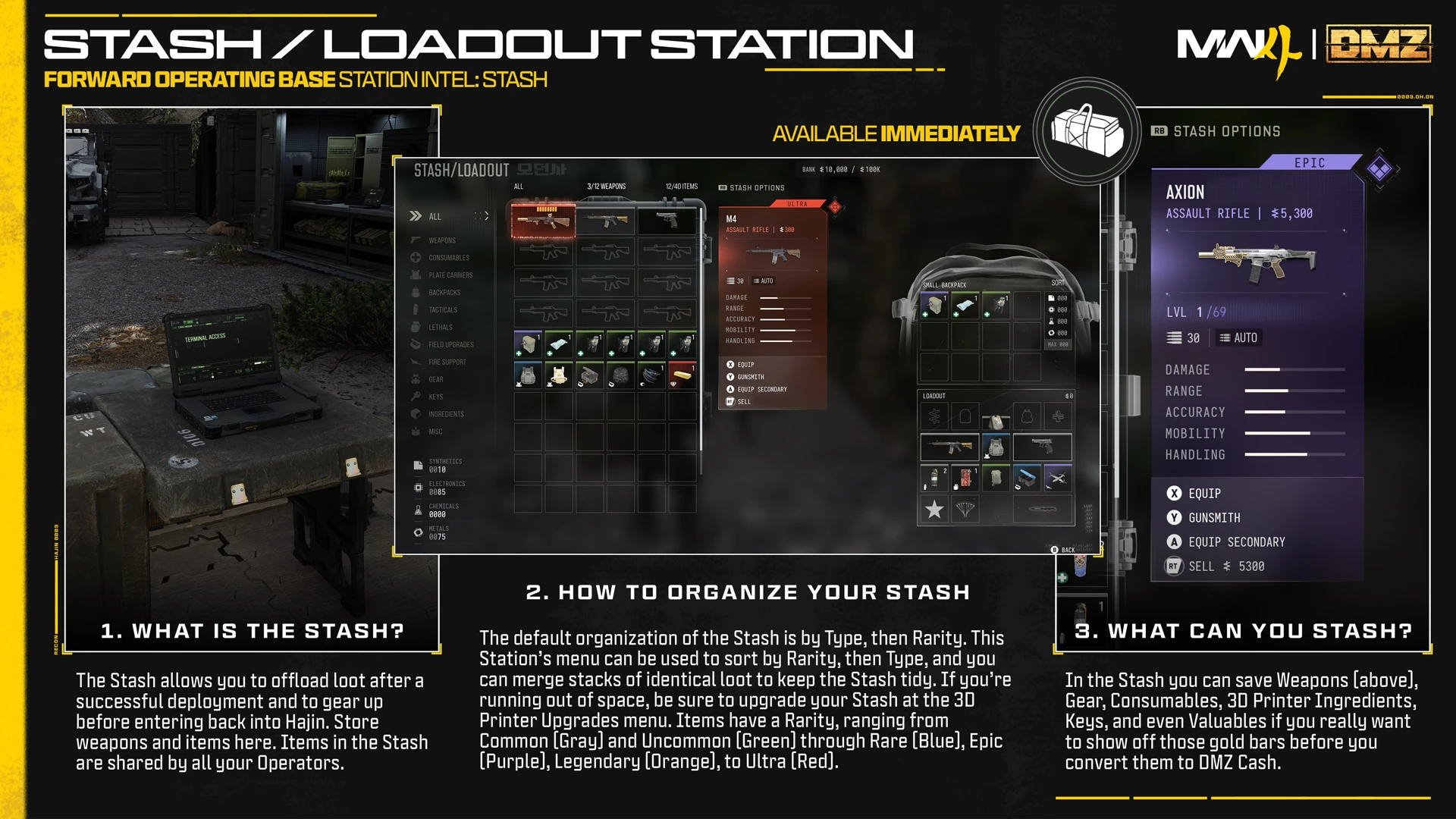
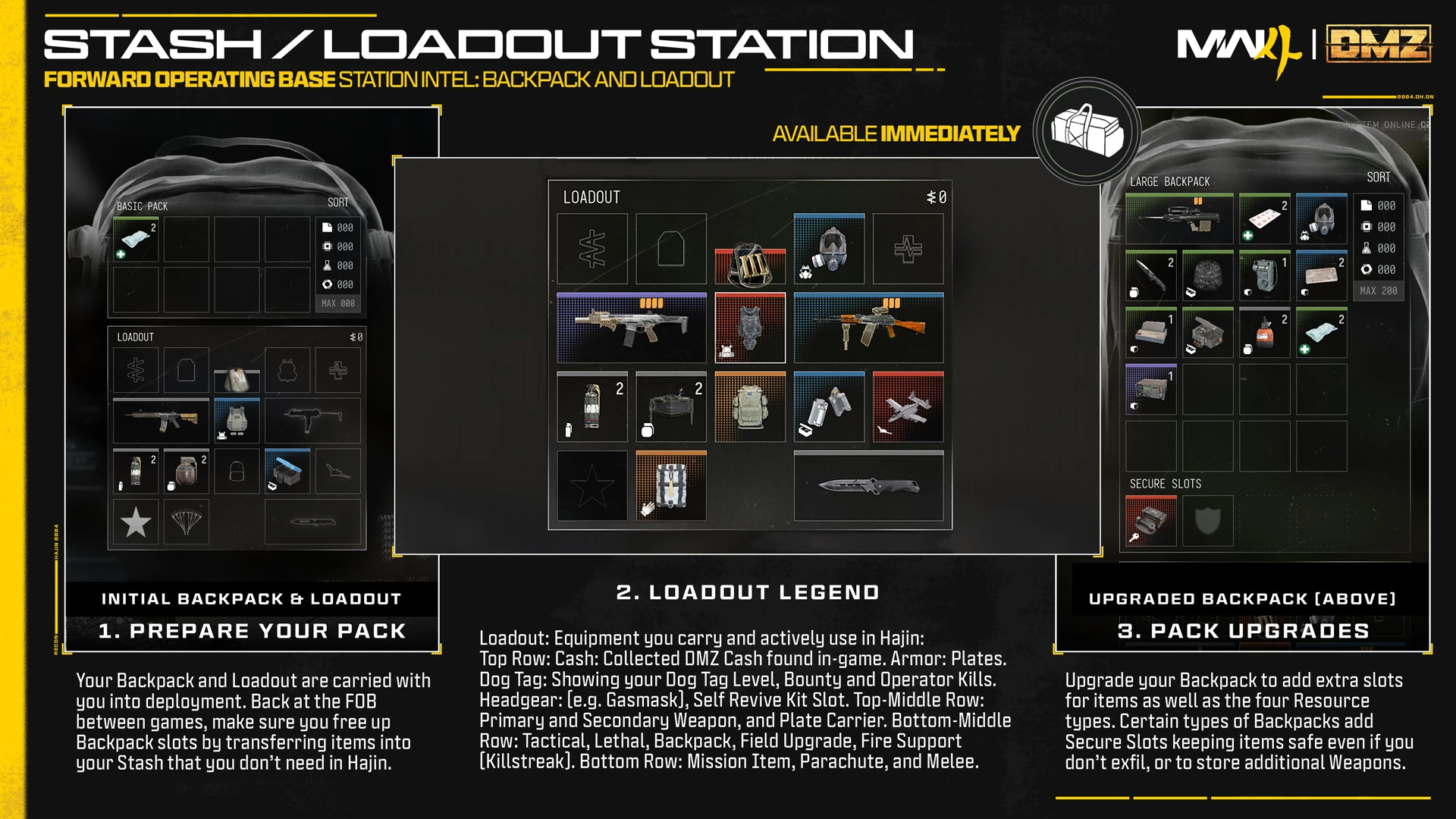
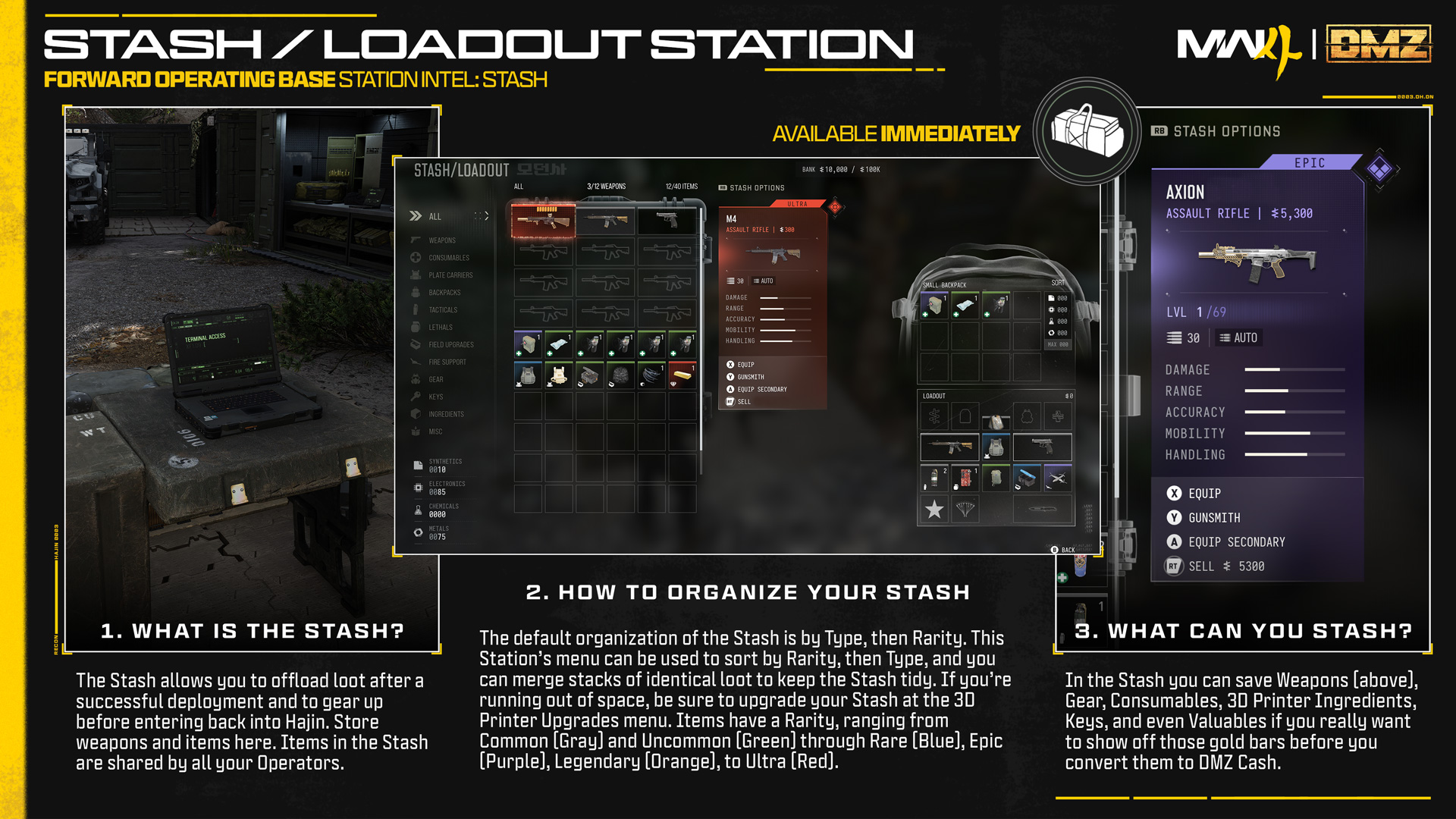
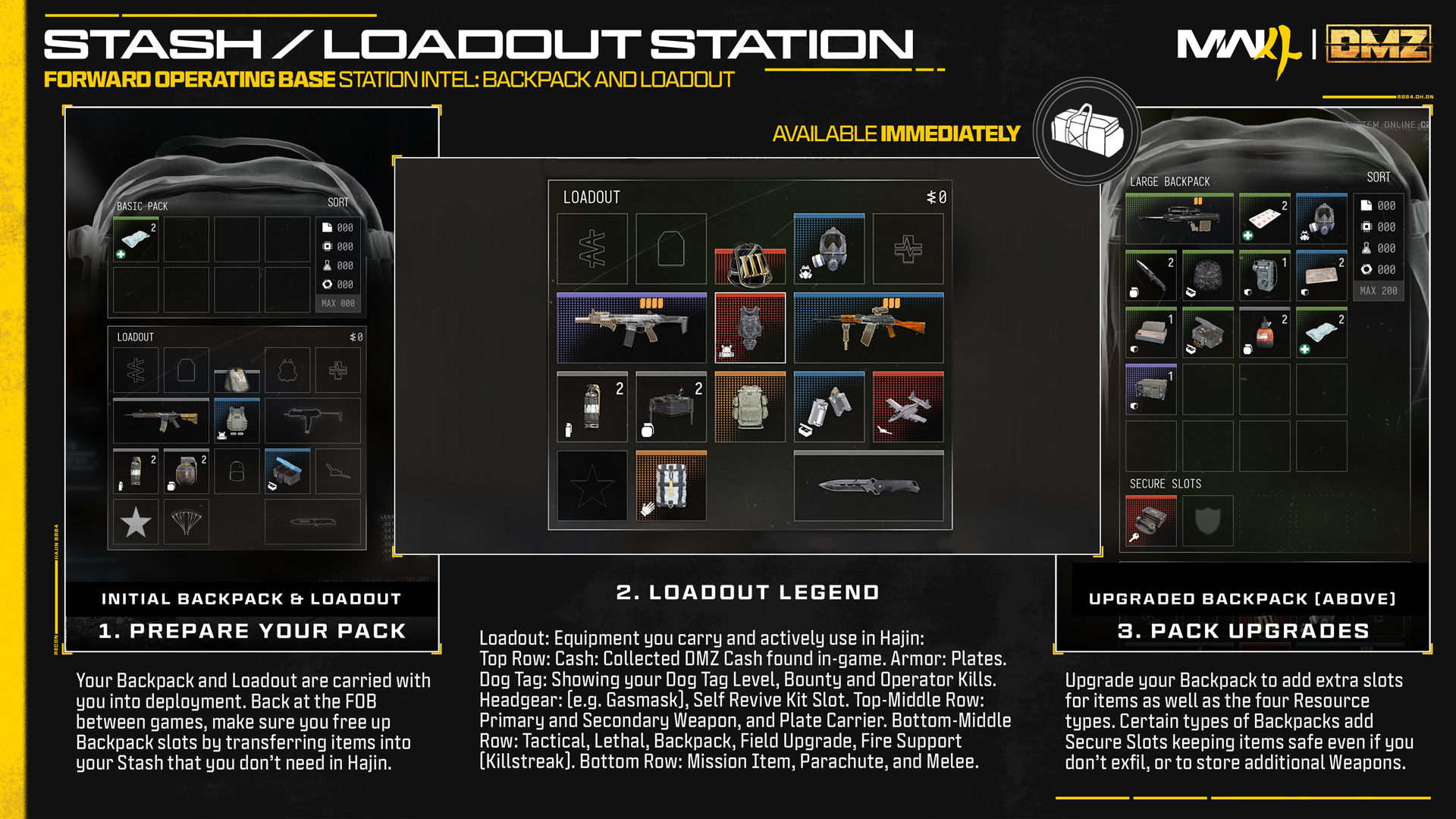
The Stash interface shows stored equipment alongside an equipped backpack and loadout. Visible weapon values and inventory totals are illustrative.Image: Activision / Call of Duty · Original image ↗
A Basic Pack, an equipped loadout and a Large Backpack illustrate where gear is carried. The pictured contents are examples, not guaranteed starting equipment.Image: Activision / Call of Duty · Original image ↗
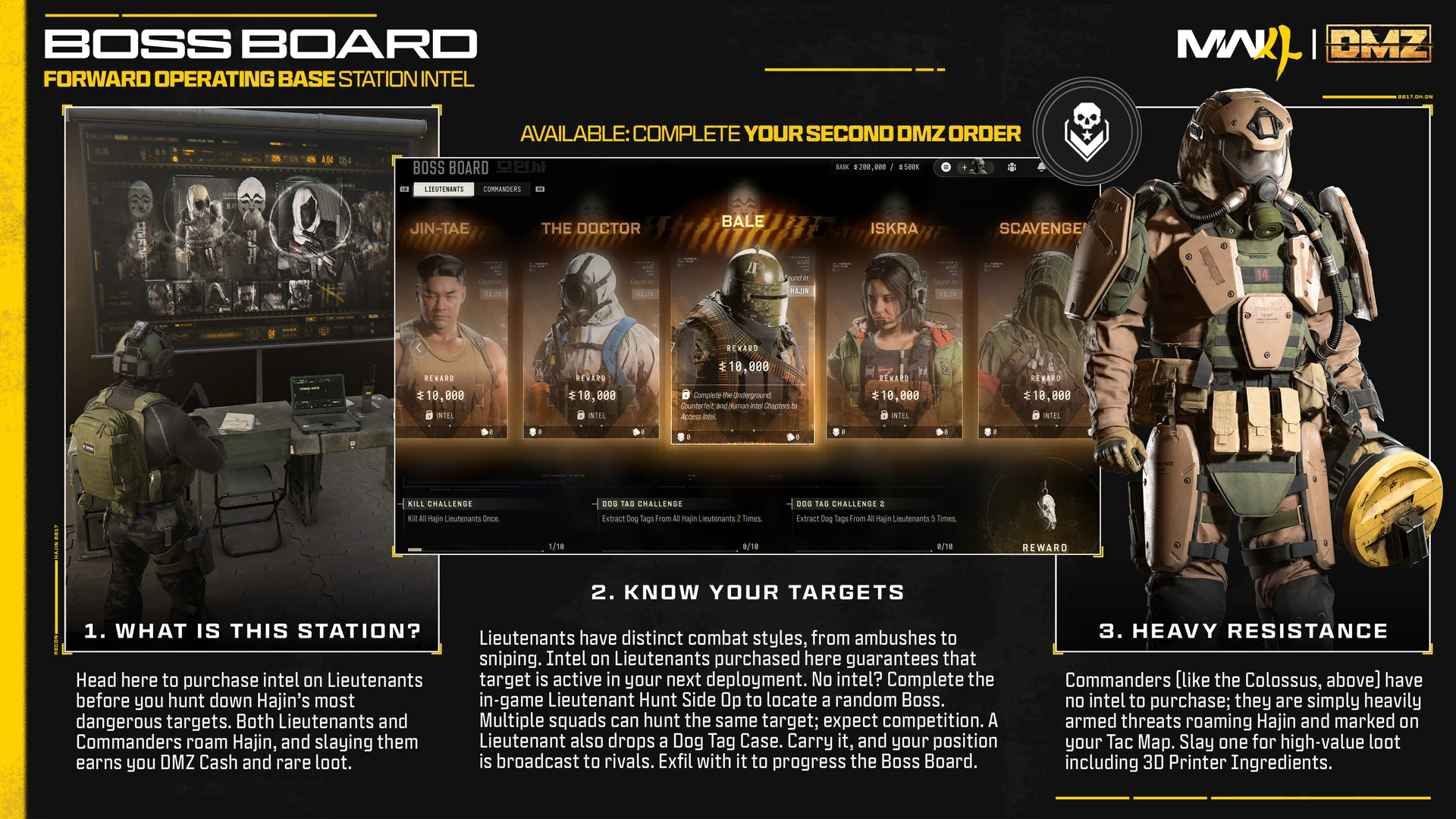
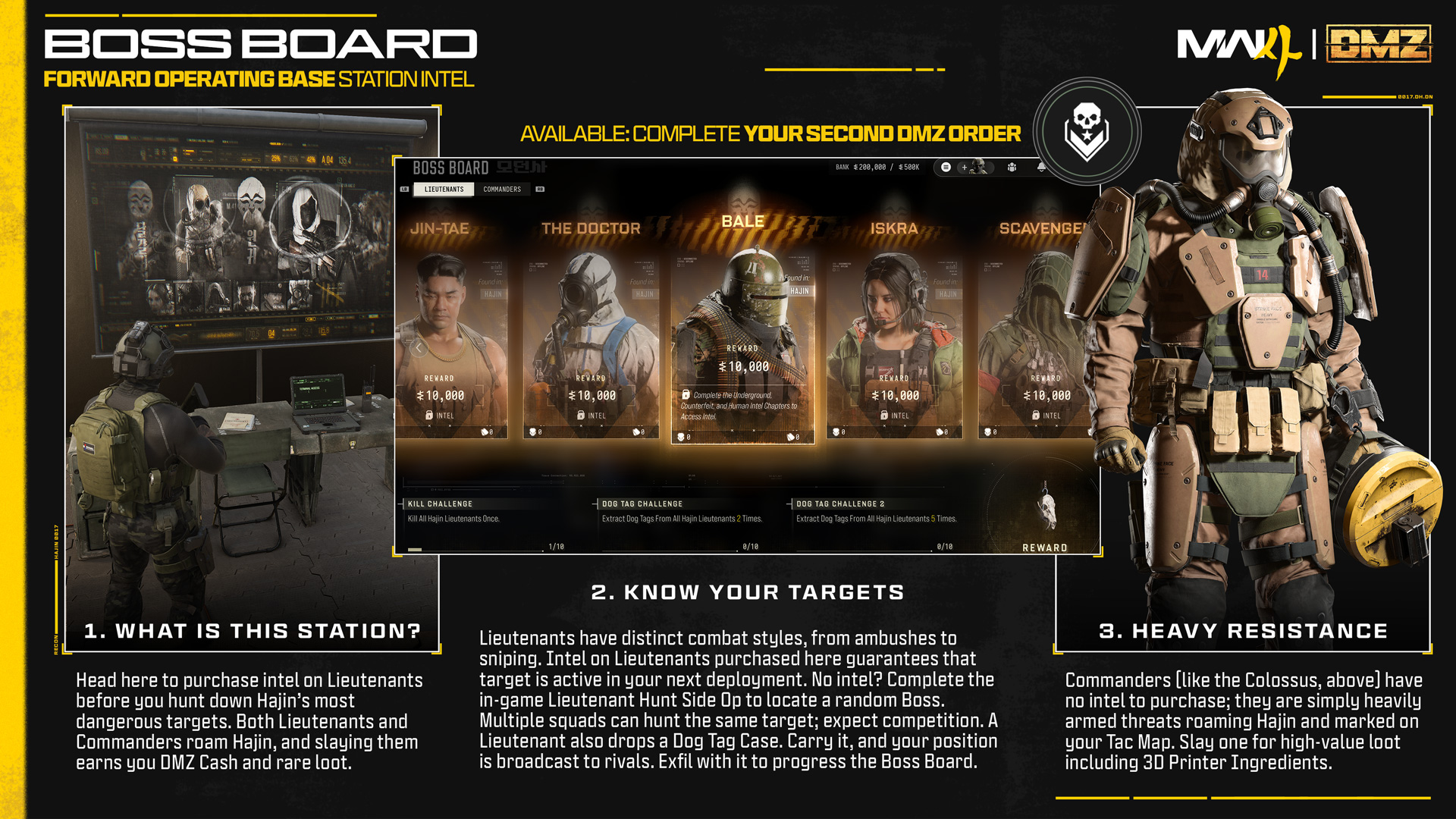
The Boss Board’s published Lieutenant portraits and a Colossus example. The board provides recognition context; it does not identify current spawn positions or guarantee a target’s loot.Image: Activision / Call of Duty · Original image ↗
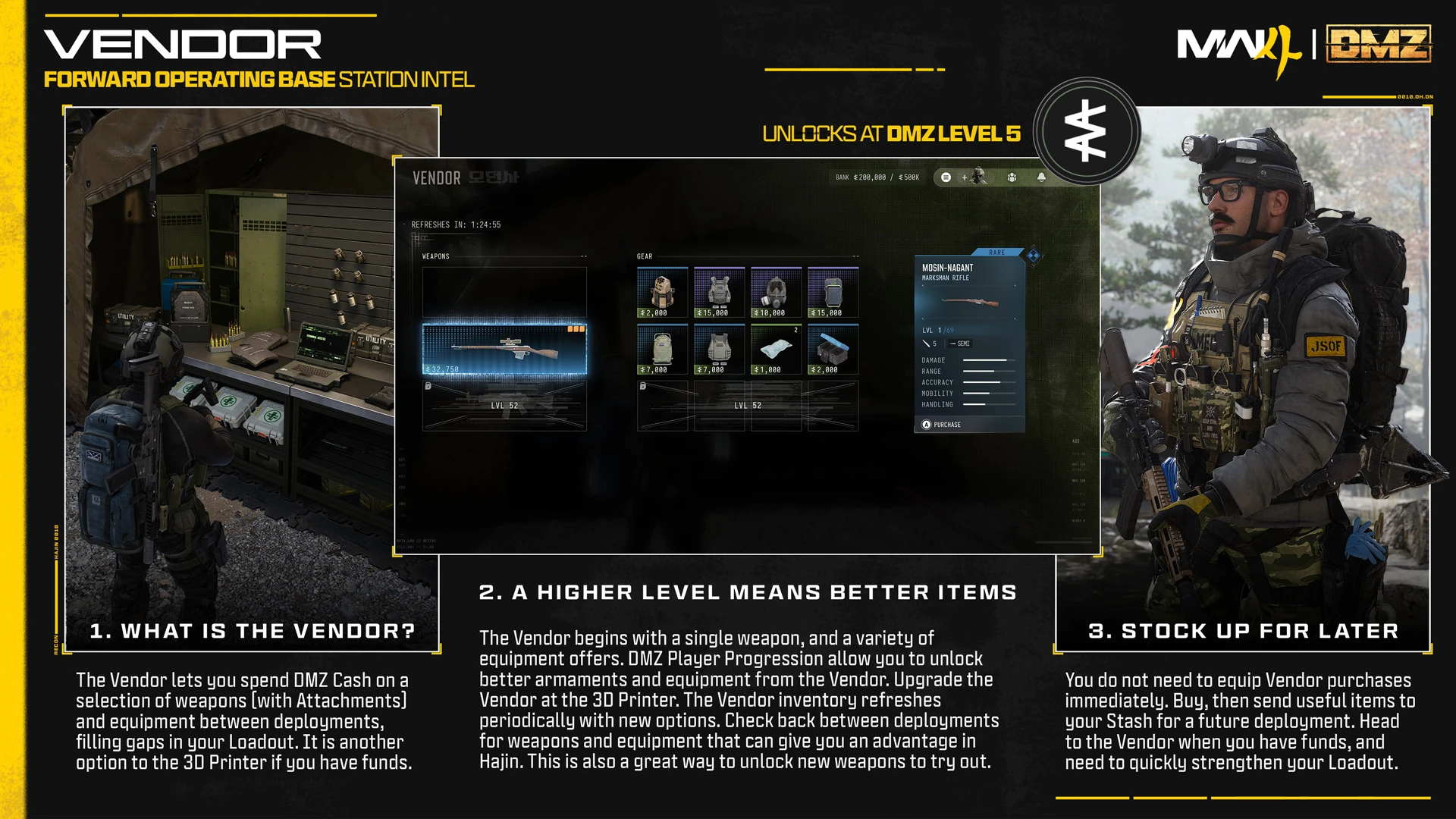
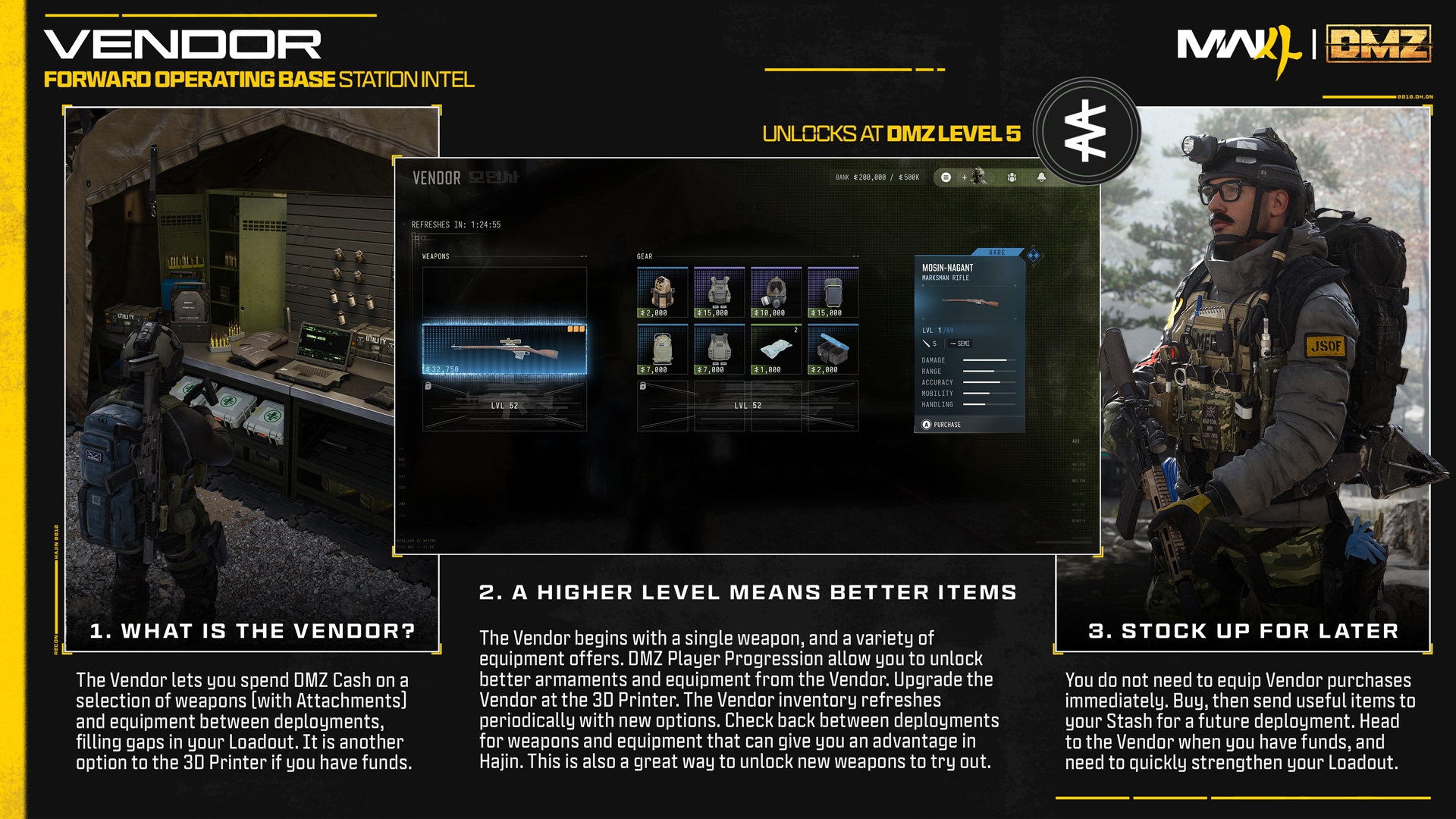
The Vendor’s published stock screen. Offers, quantities and prices change; use this to recognize the menu, not to predict today’s inventory.Image: Activision / Call of Duty · Original image ↗
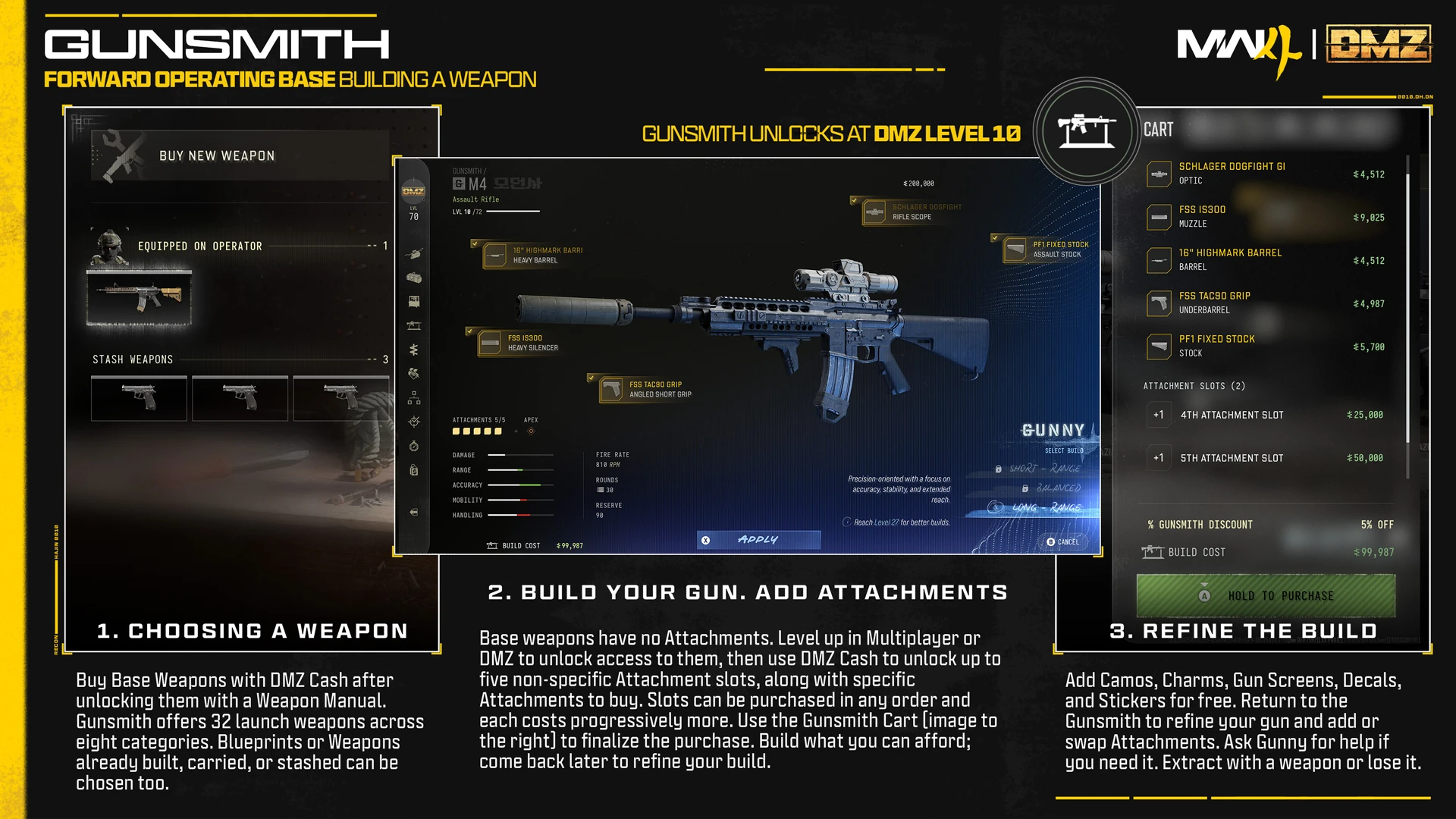
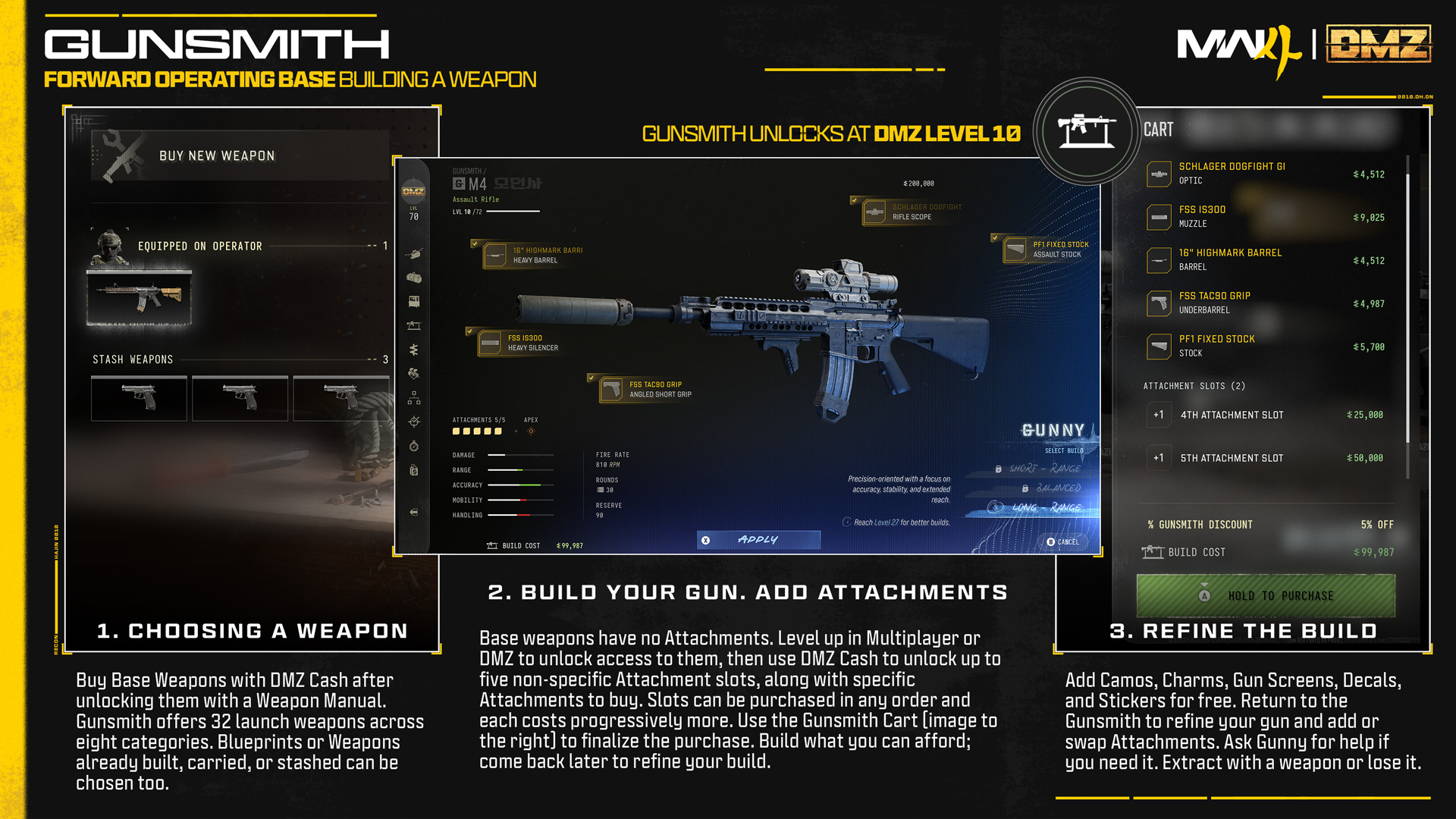
The DMZ Gunsmith interface shows an example M4 with attachments and its cart. Displayed prices and weapon bars are illustrative, not measured performance or current purchase costs.Image: Activision / Call of Duty · Original image ↗
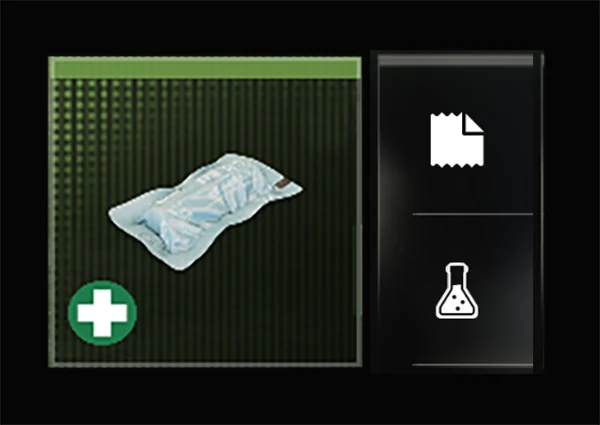
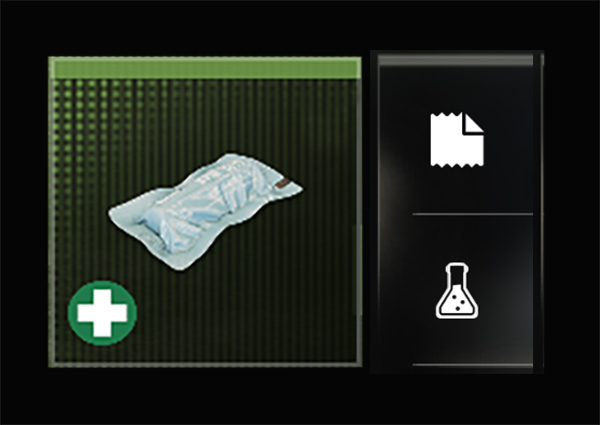
Bandage, shown on its official crafting card. The image identifies the output; quantities and requirements are listed separately.Image: Activision / Call of Duty · Original image ↗
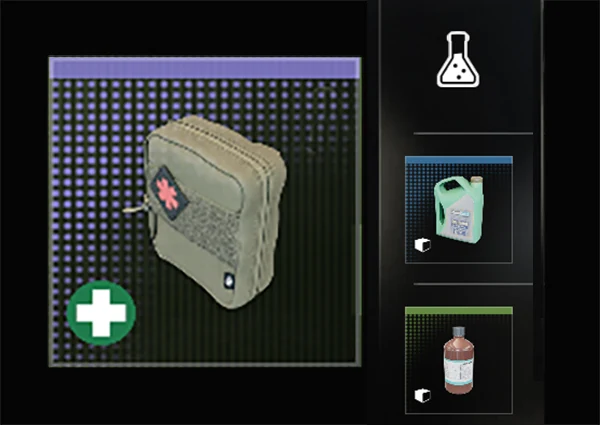
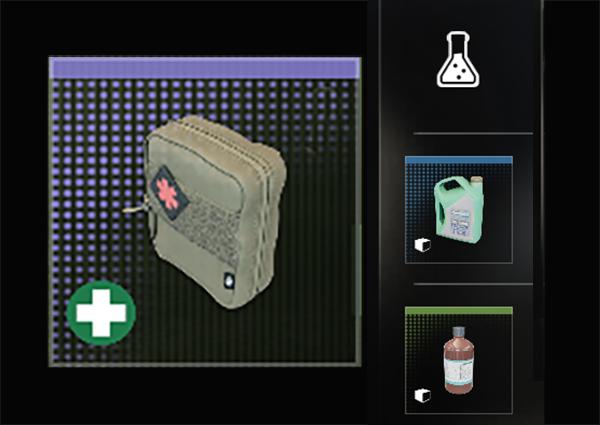
Medkit, shown on its official crafting card. The image identifies the output; quantities and requirements are listed separately.Image: Activision / Call of Duty · Original image ↗
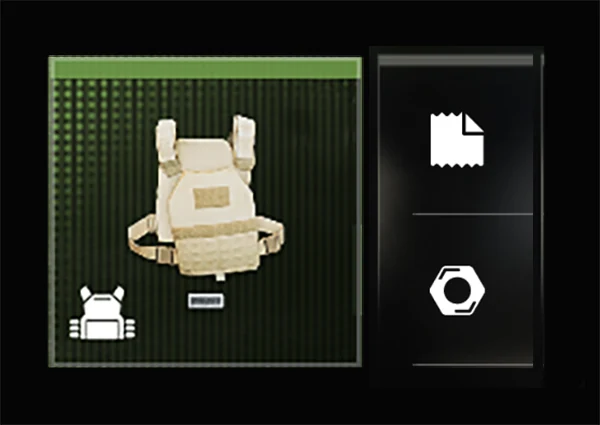
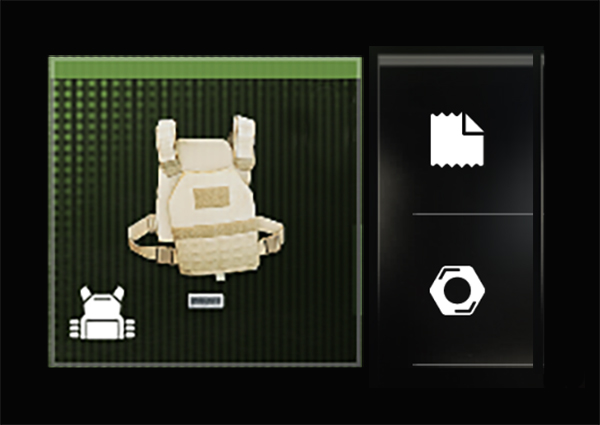
1-Plate Armor Vest, shown on its official crafting card. The image identifies the output; quantities and requirements are listed separately.Image: Activision / Call of Duty · Original image ↗
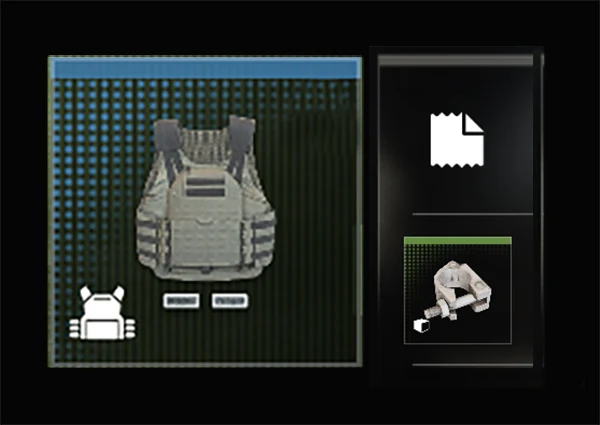
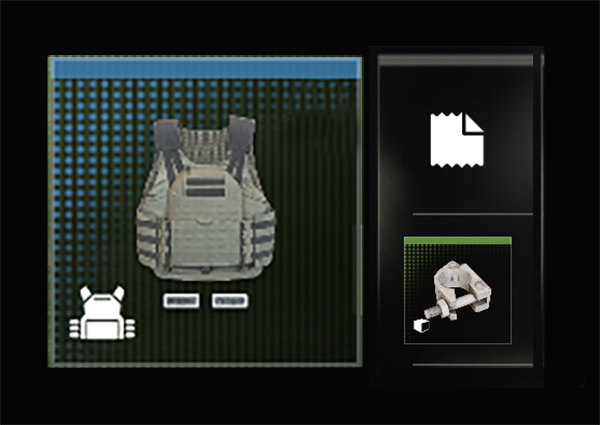
2-Plate Armor Vest, shown on its official crafting card. The image identifies the output; quantities and requirements are listed separately.Image: Activision / Call of Duty · Original image ↗
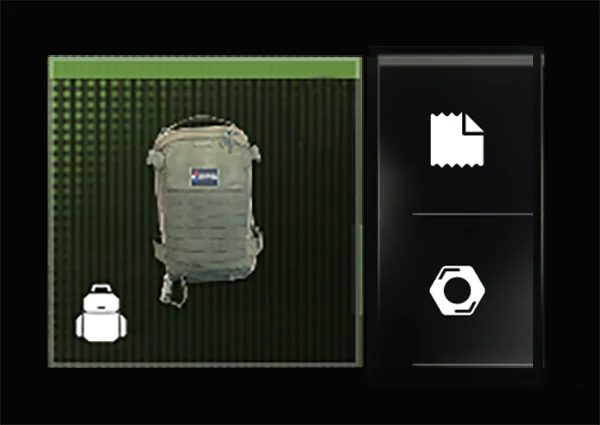
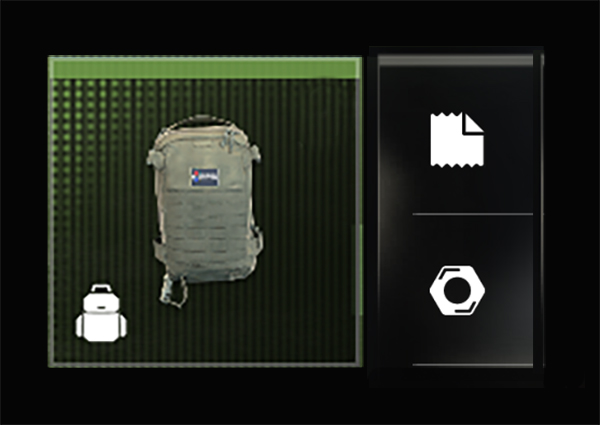
Small Backpack, shown on its official crafting card. The image identifies the output; quantities and requirements are listed separately.Image: Activision / Call of Duty · Original image ↗
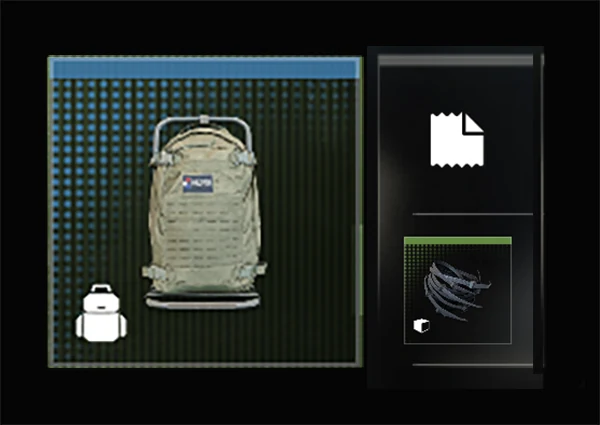
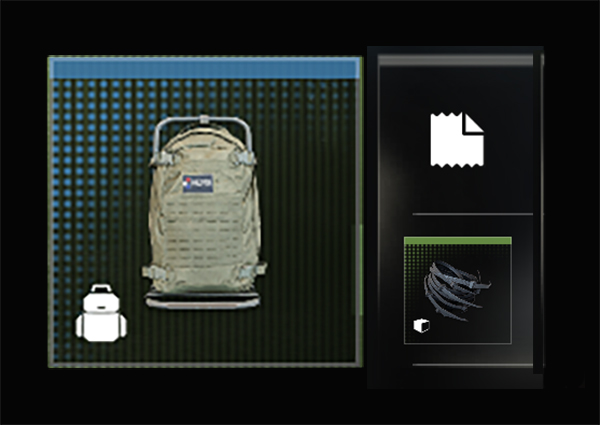
Medium Backpack, shown on its official crafting card. The image identifies the output; quantities and requirements are listed separately.Image: Activision / Call of Duty · Original image ↗
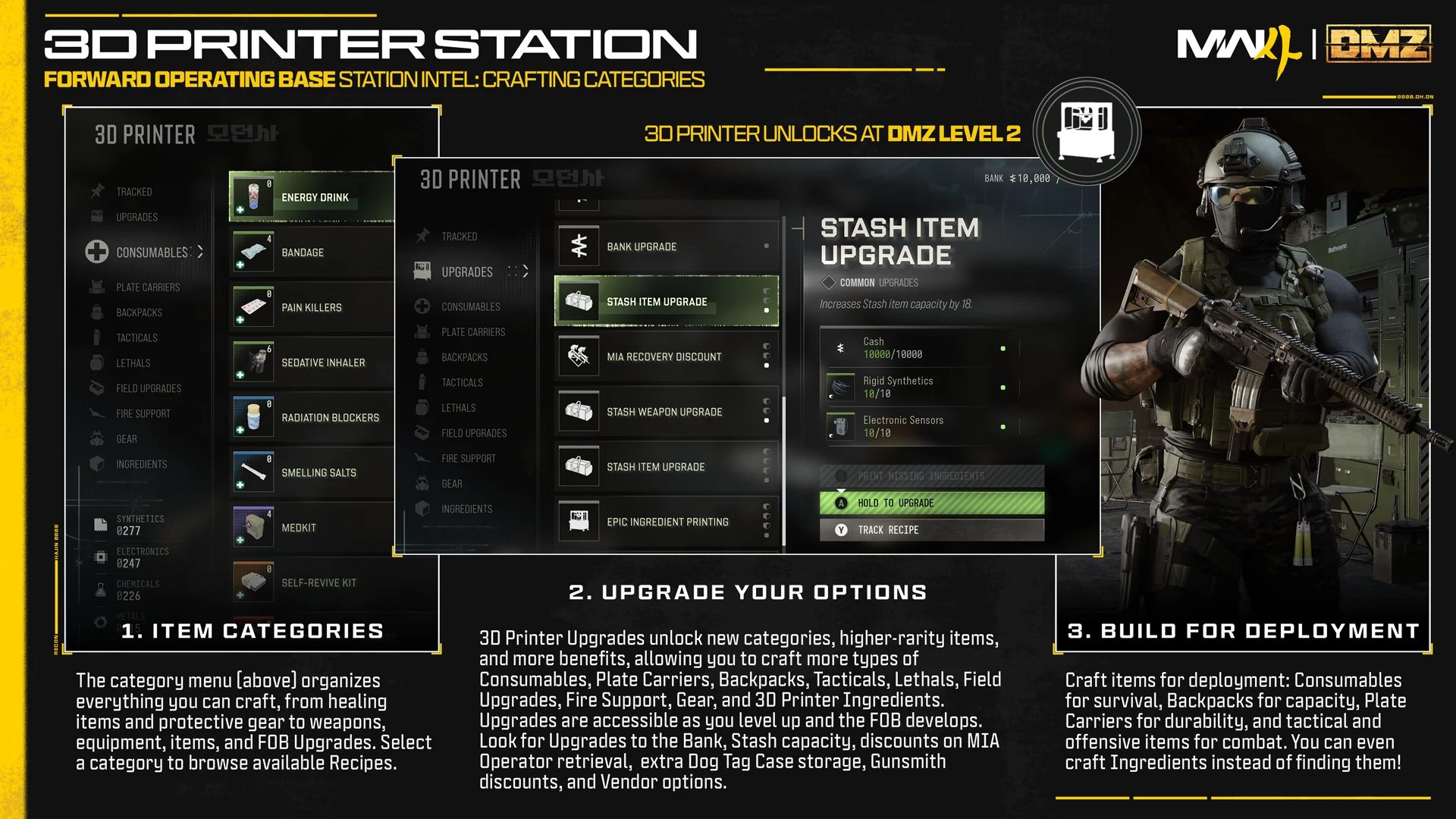
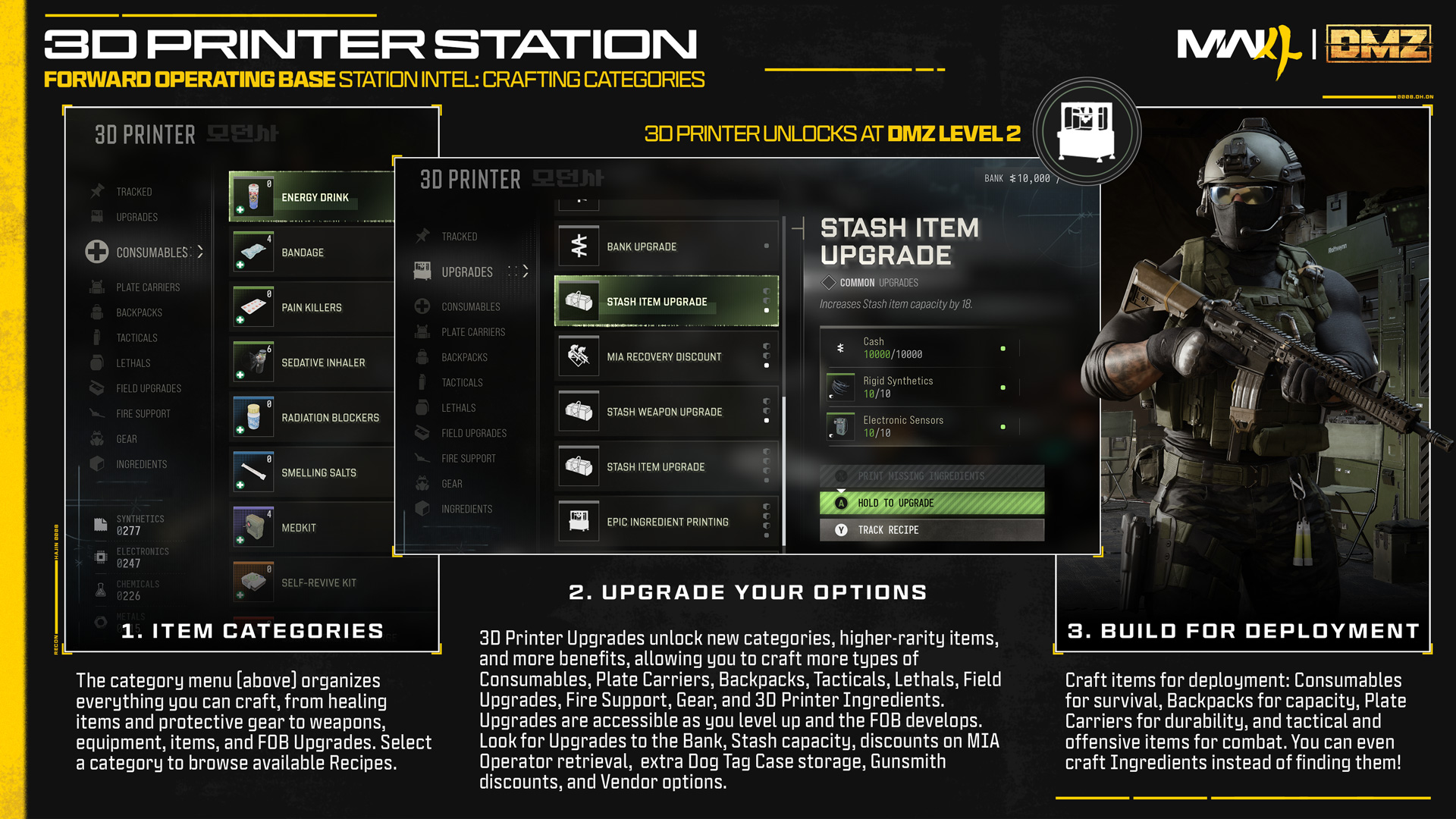
Printer categories and an upgrade example. Rigid Synthetics and Electronic Sensors appear by name in the center panel; this is a full menu reference, not an isolated item portrait.Image: Activision / Call of Duty · Original image ↗
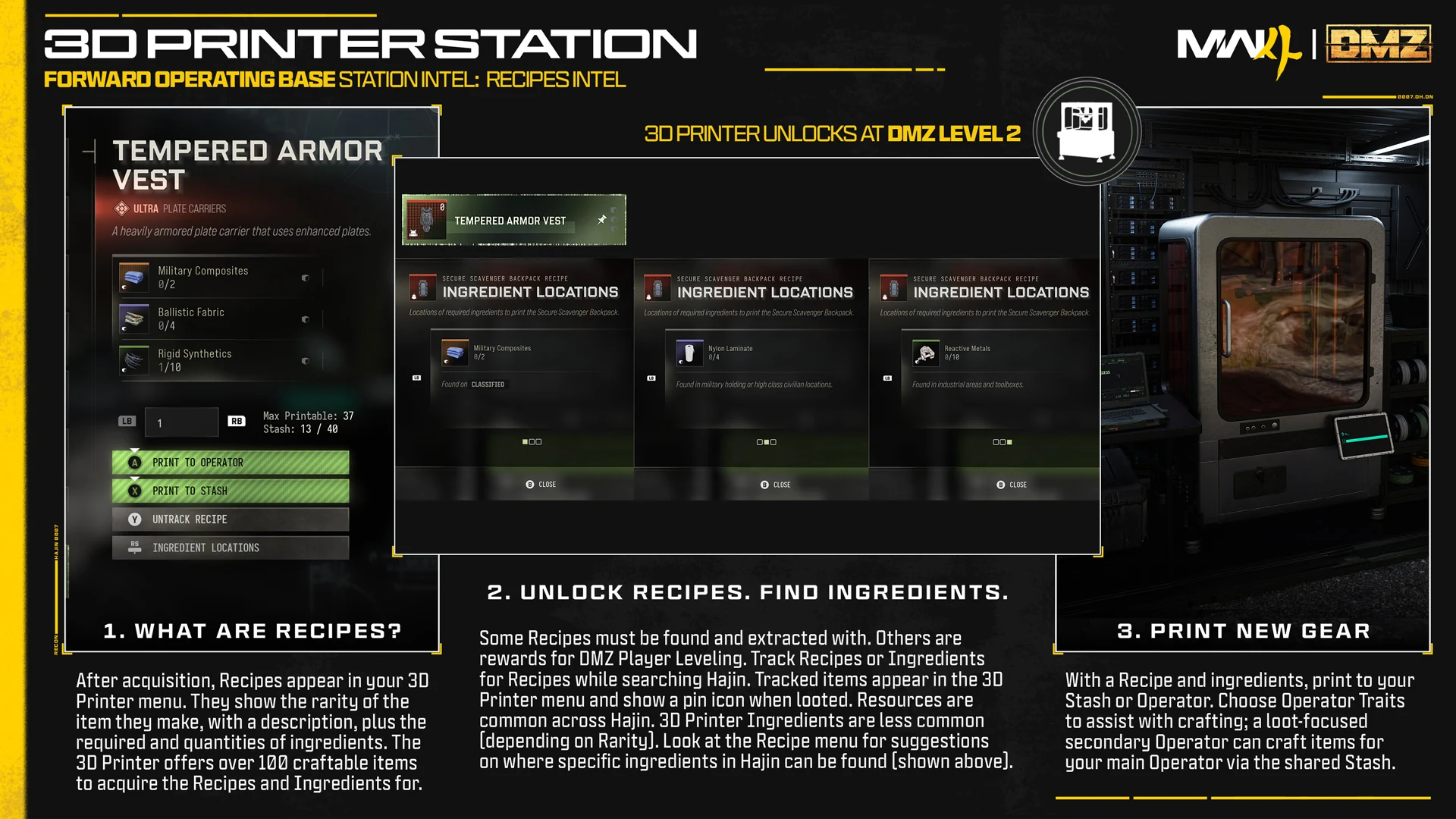
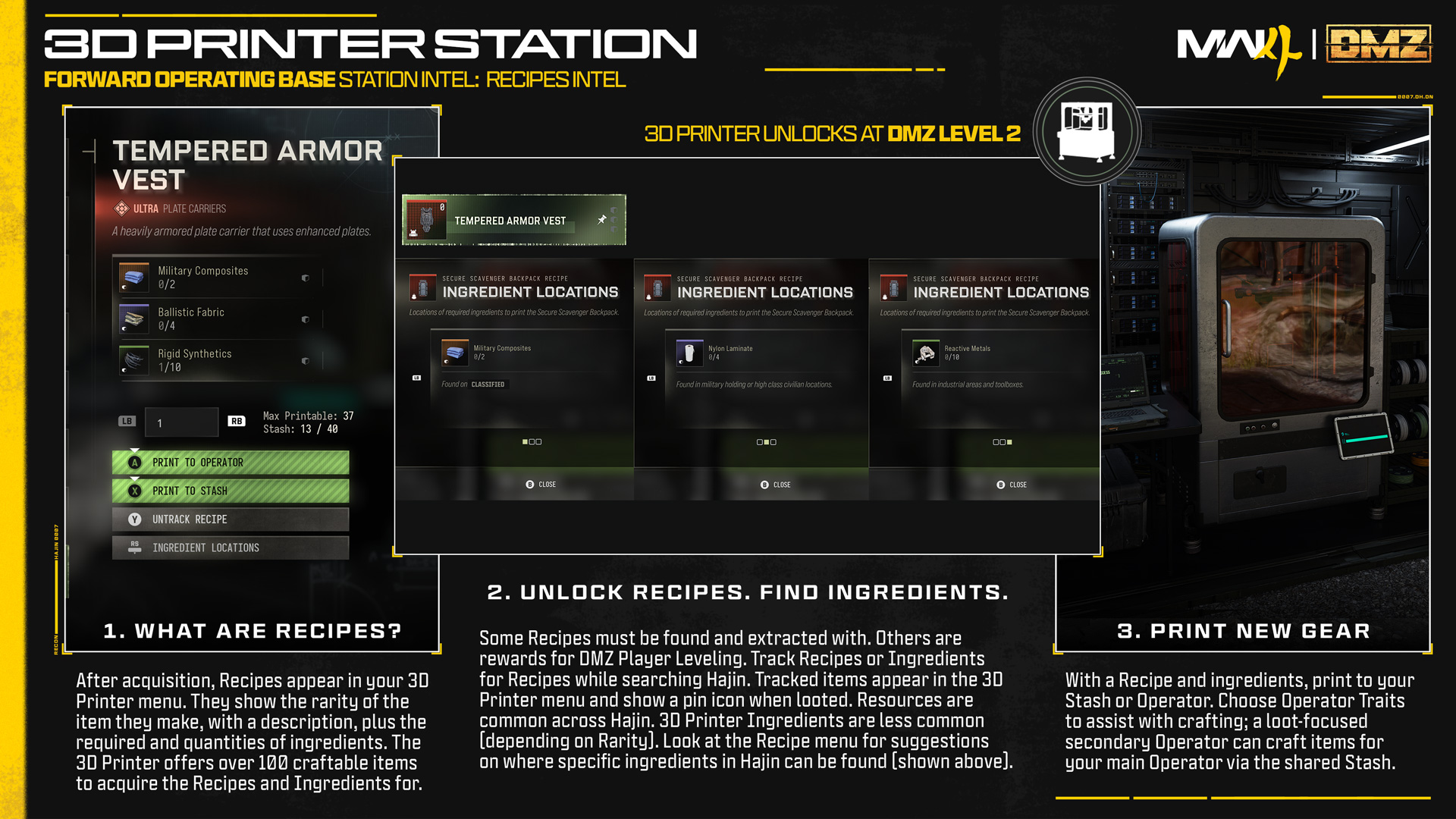
The full recipe reference includes multiple menu examples. Reactive Metals appears in the right ingredient-location panel. Read each panel separately; the montage does not establish a single combined recipe.Image: Activision / Call of Duty · Original image ↗
Menu examples for selecting an Operator and recognizing customization.
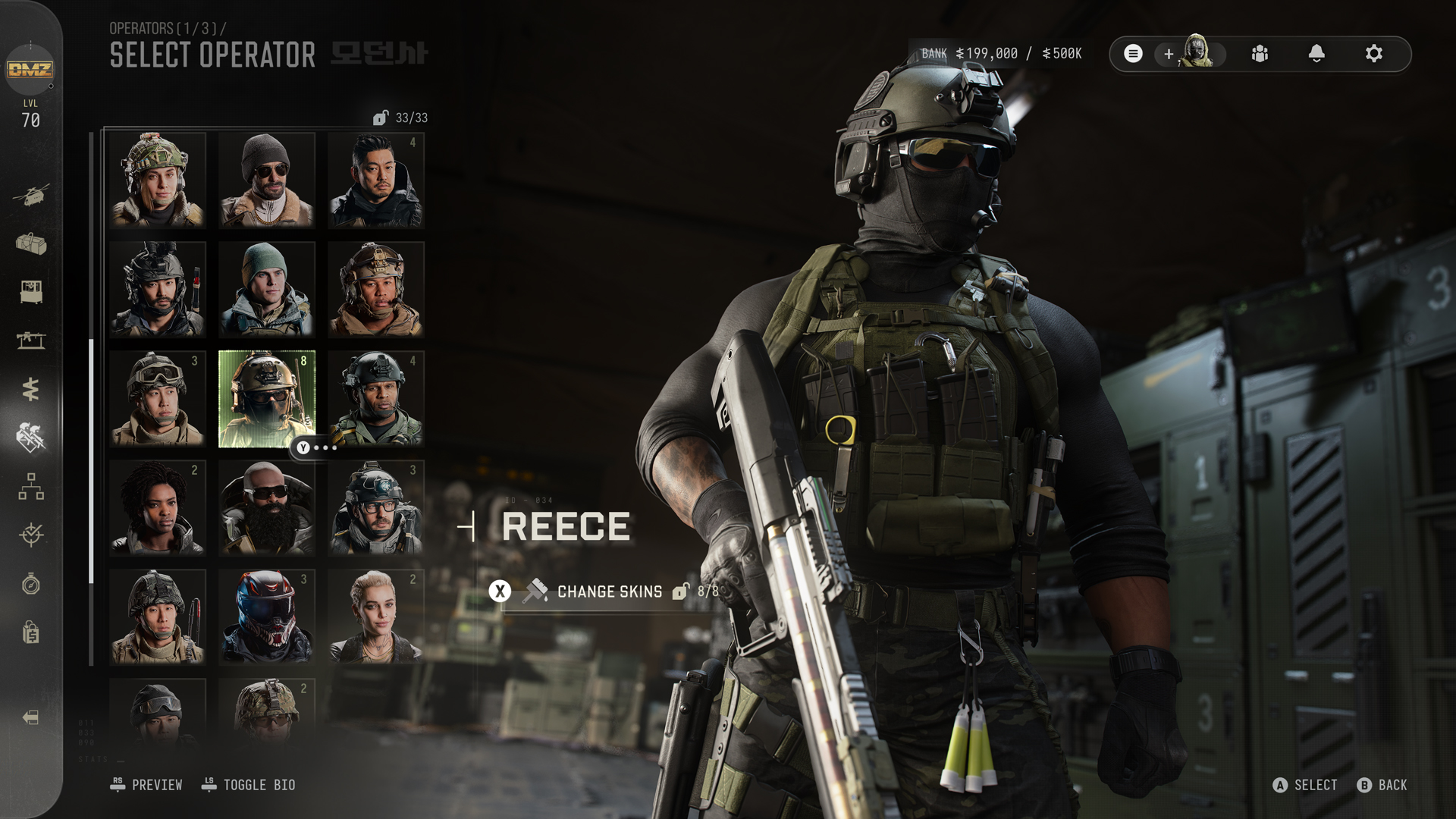
Selecting Reece for Active Duty
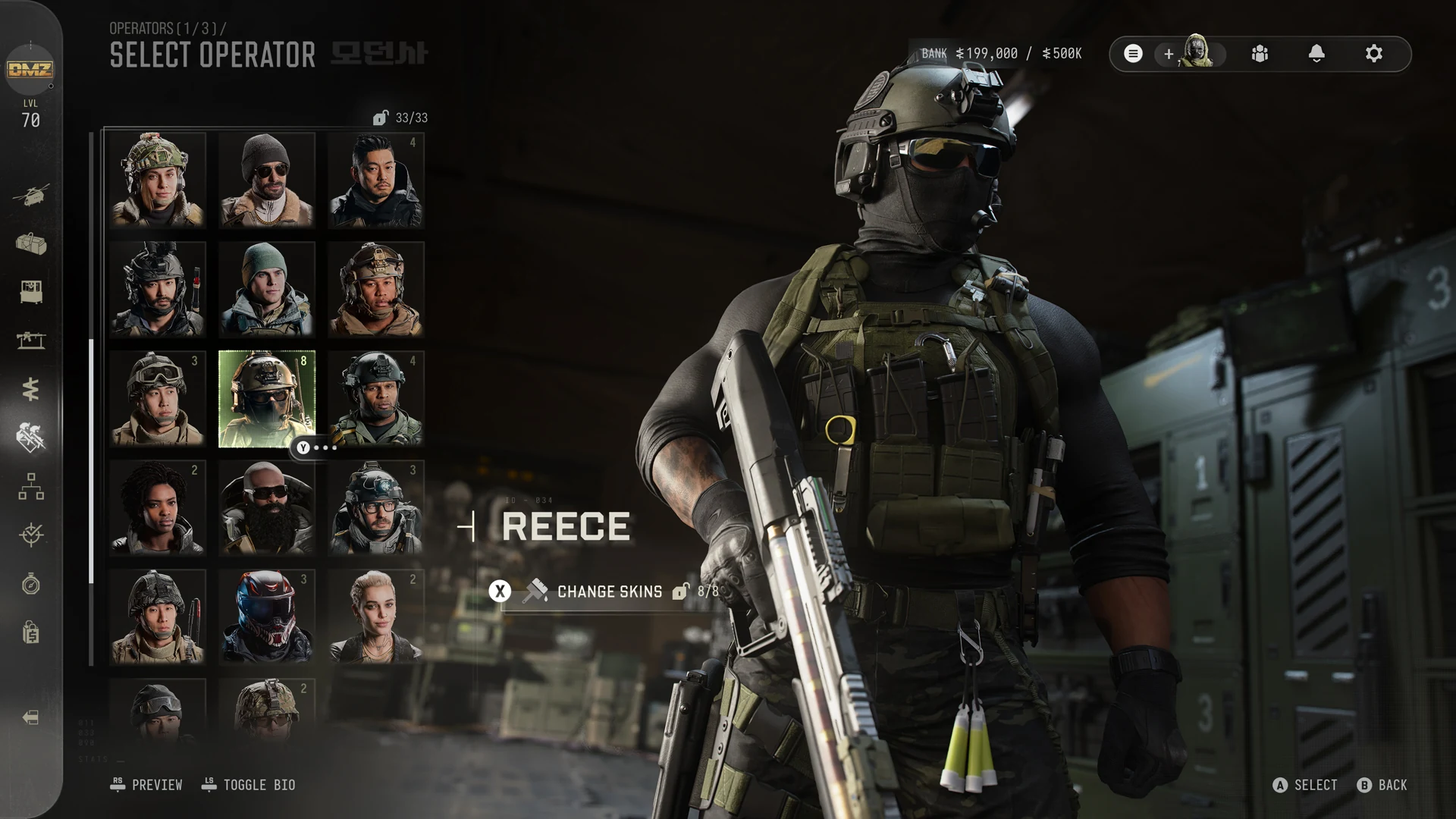
Reece is selected in the official Active Duty menu. Other portraits are roster context; this view does not identify a complete skin collection or show a recovery transaction.Image: Activision / Call of Duty · Original image ↗
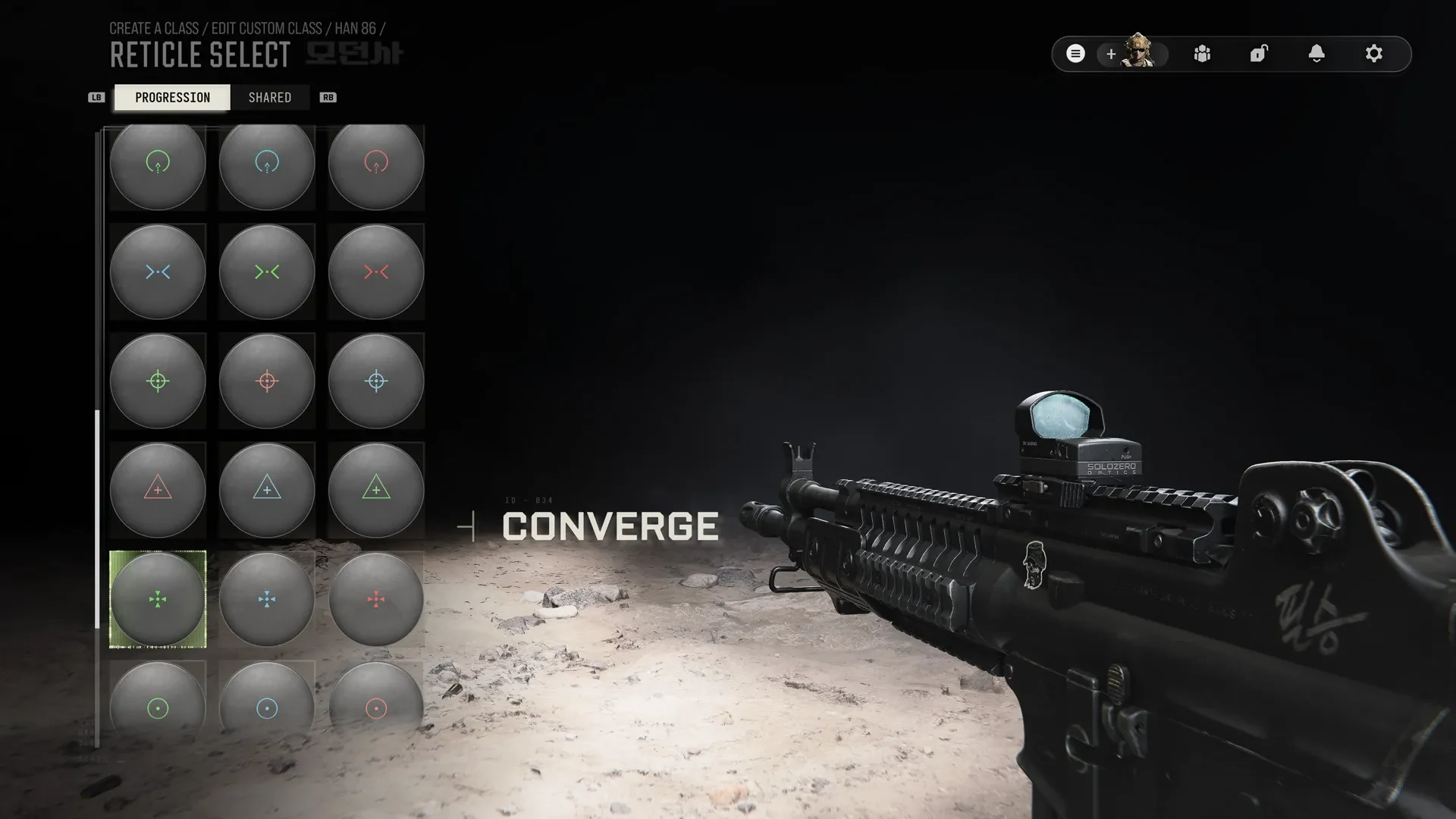
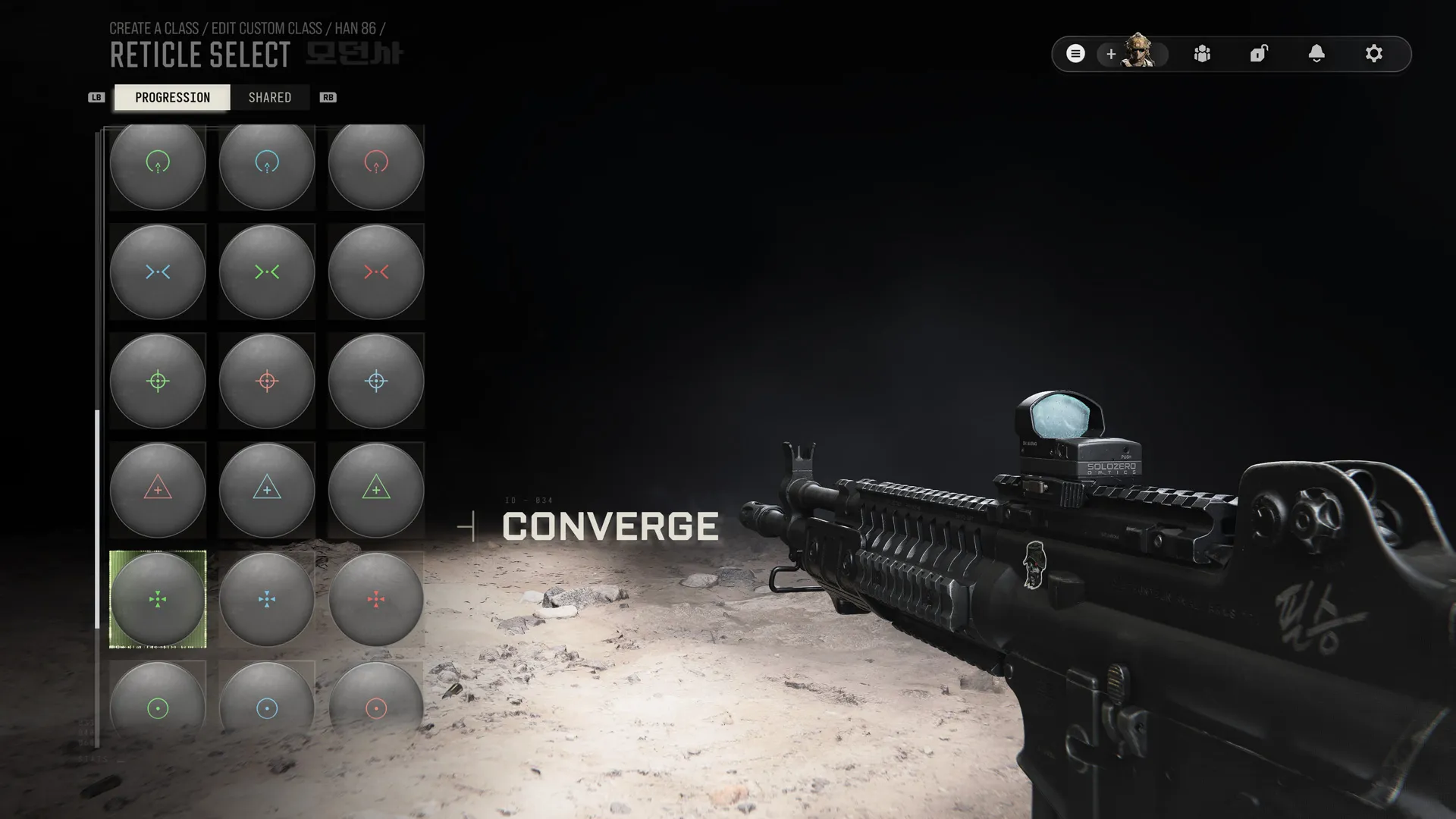
The official Converge reticle example on a Han 86. This preview does not establish that every shown optic or reticle is available on your current loadout.Image: Activision / Call of Duty · Original image ↗
Labeled appearance boards for ground, water, rail and air transport.
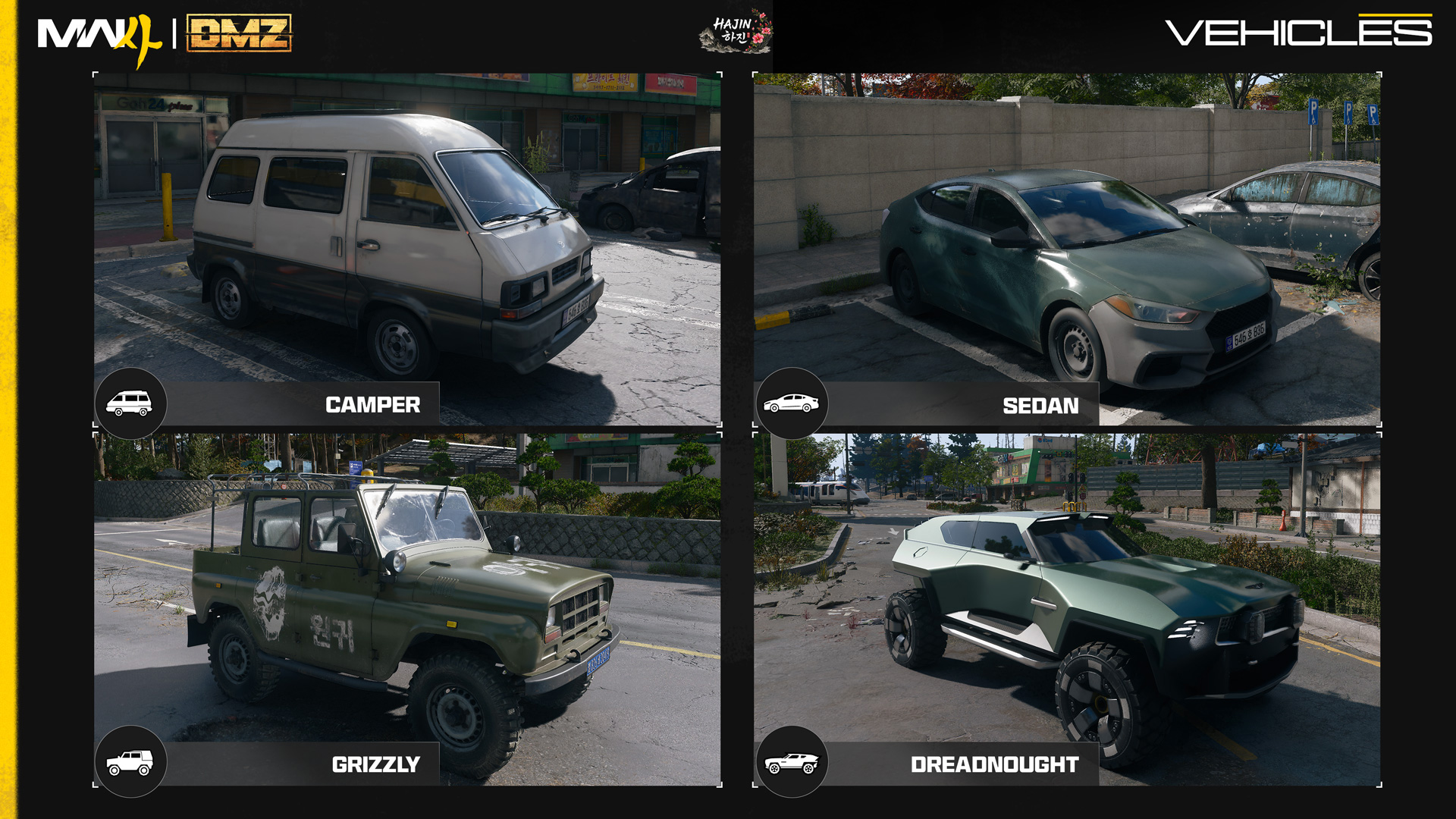
Civilian and tactical ground vehicles
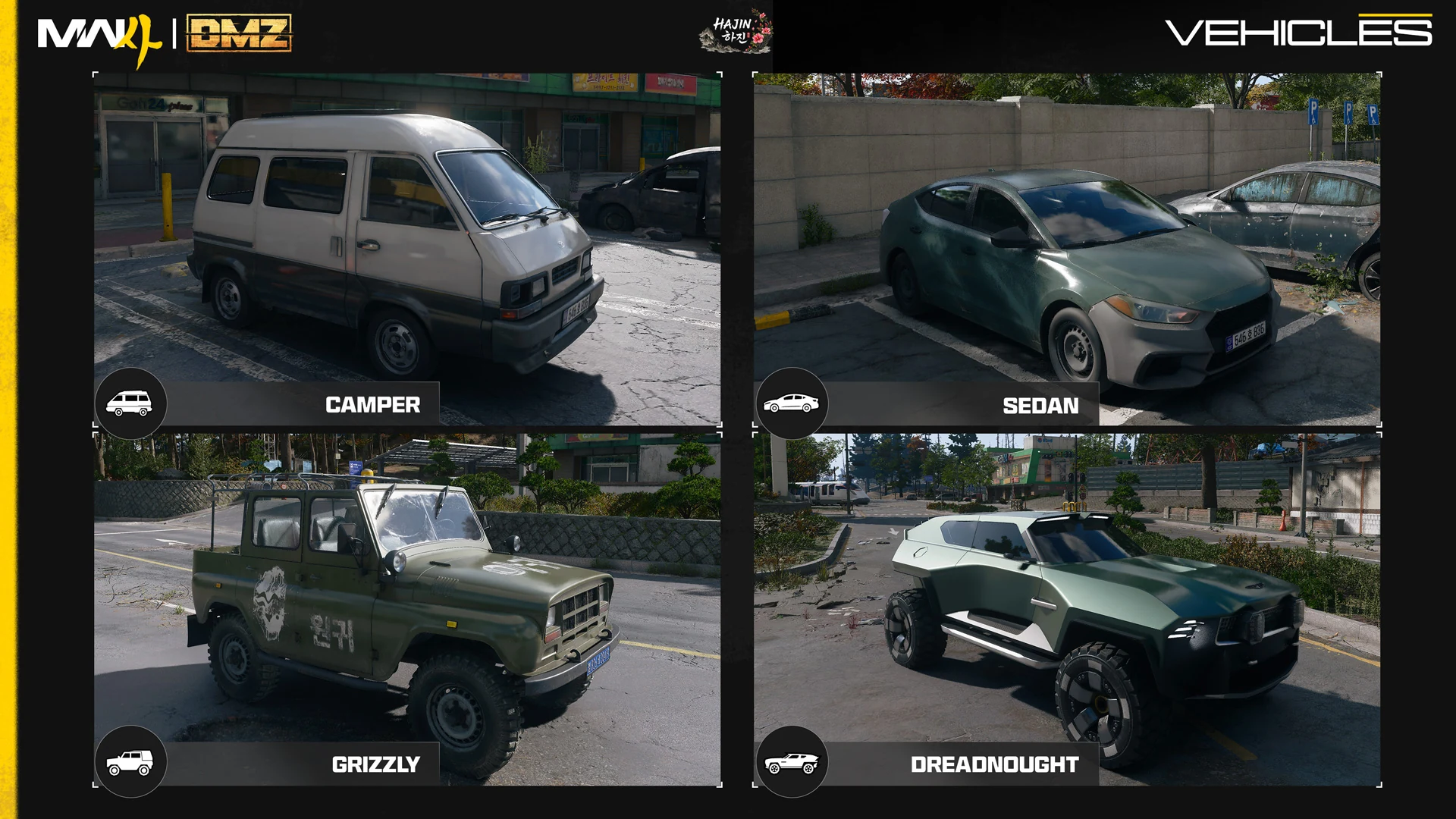
Published recognition board: Camper, Sedan, Grizzly, Dreadnought. These photographs identify vehicle appearances; they do not establish spawn positions, speed or available seats.Image: Activision / Call of Duty · Original image ↗
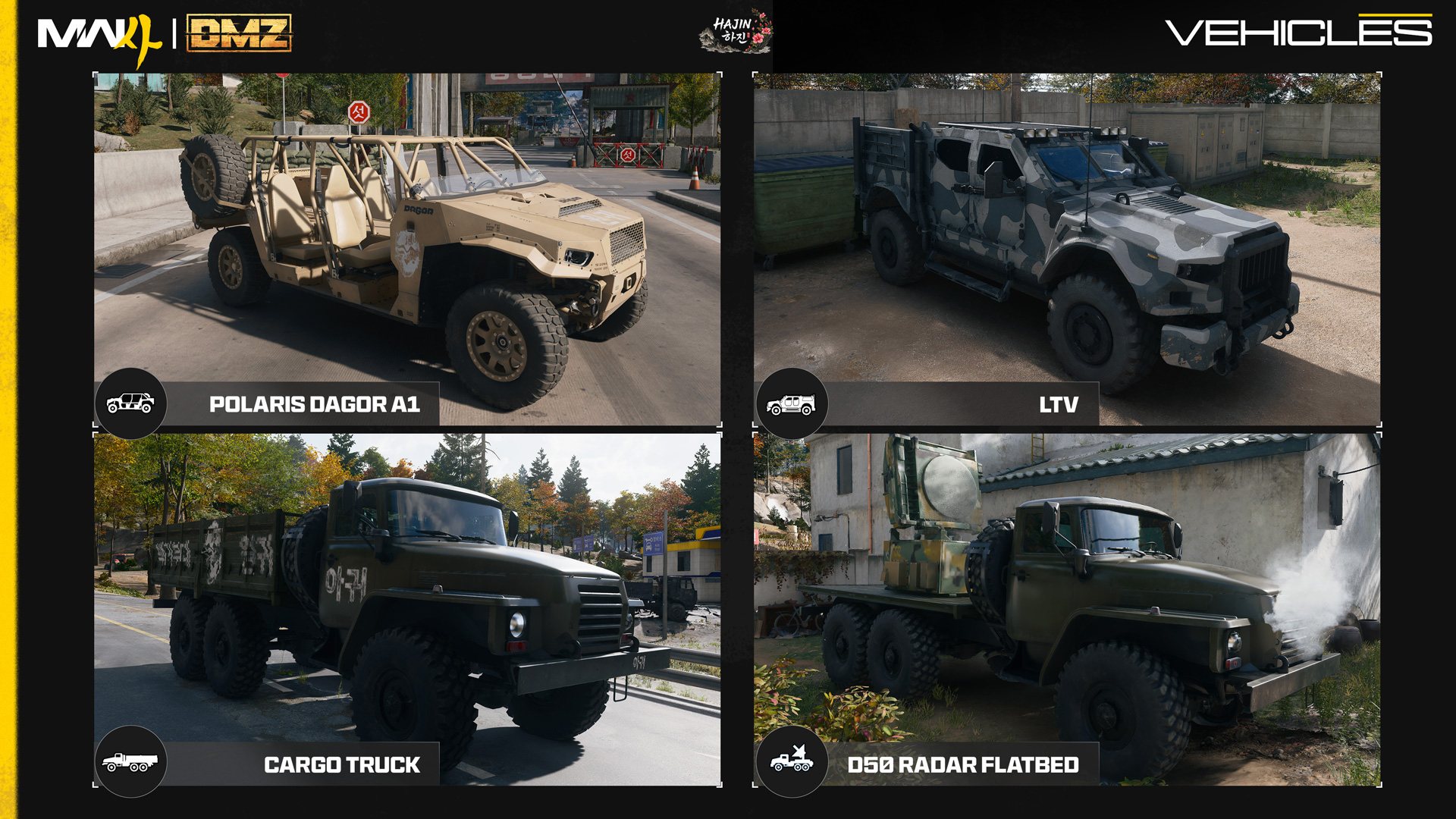
Squad transport and support vehicles
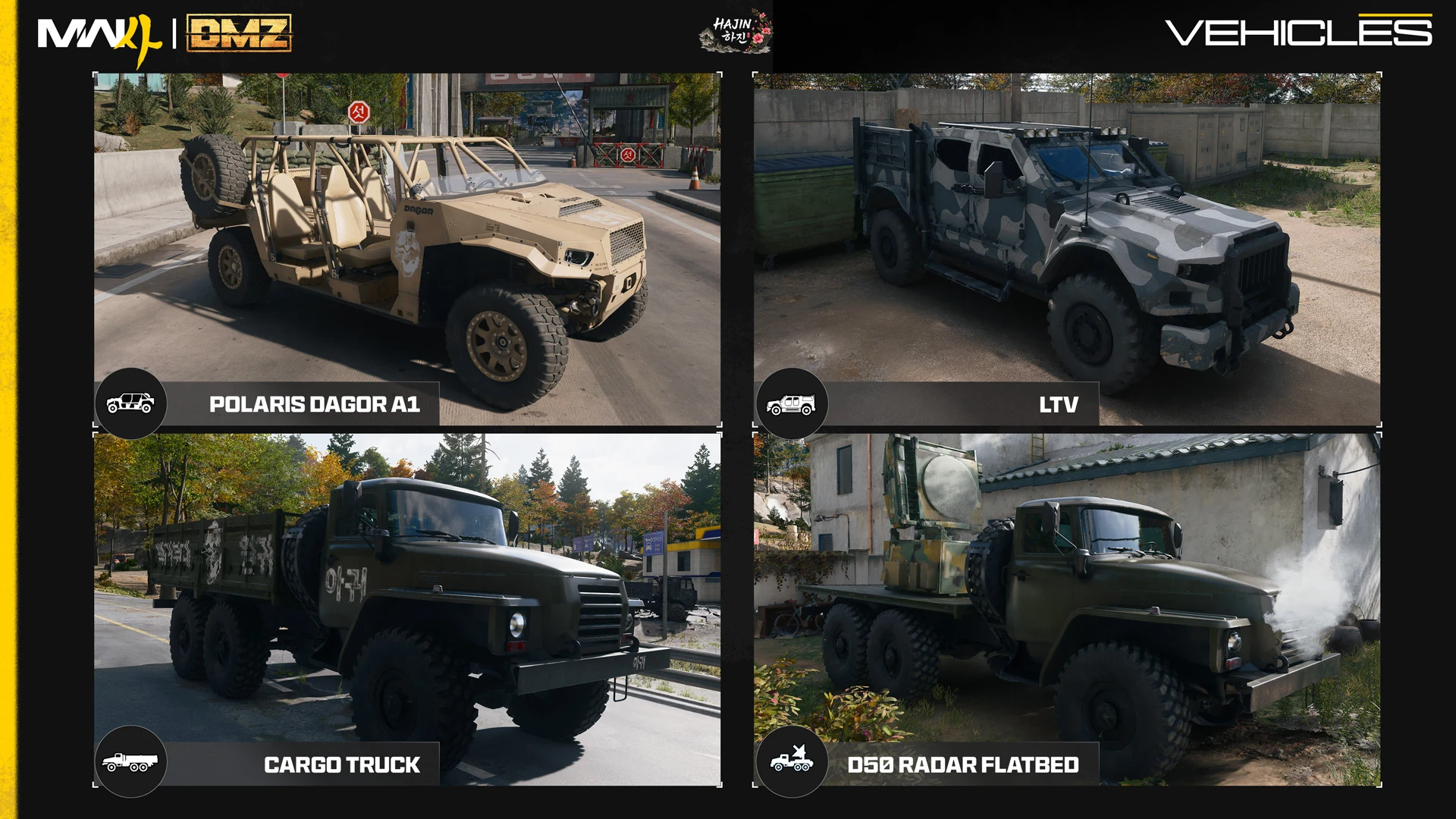
Published recognition board: Polaris Dagor A1, LTV, Cargo Truck, D50 Radar Flatbed. These photographs identify vehicle appearances; they do not establish spawn positions, speed or available seats.Image: Activision / Call of Duty · Original image ↗
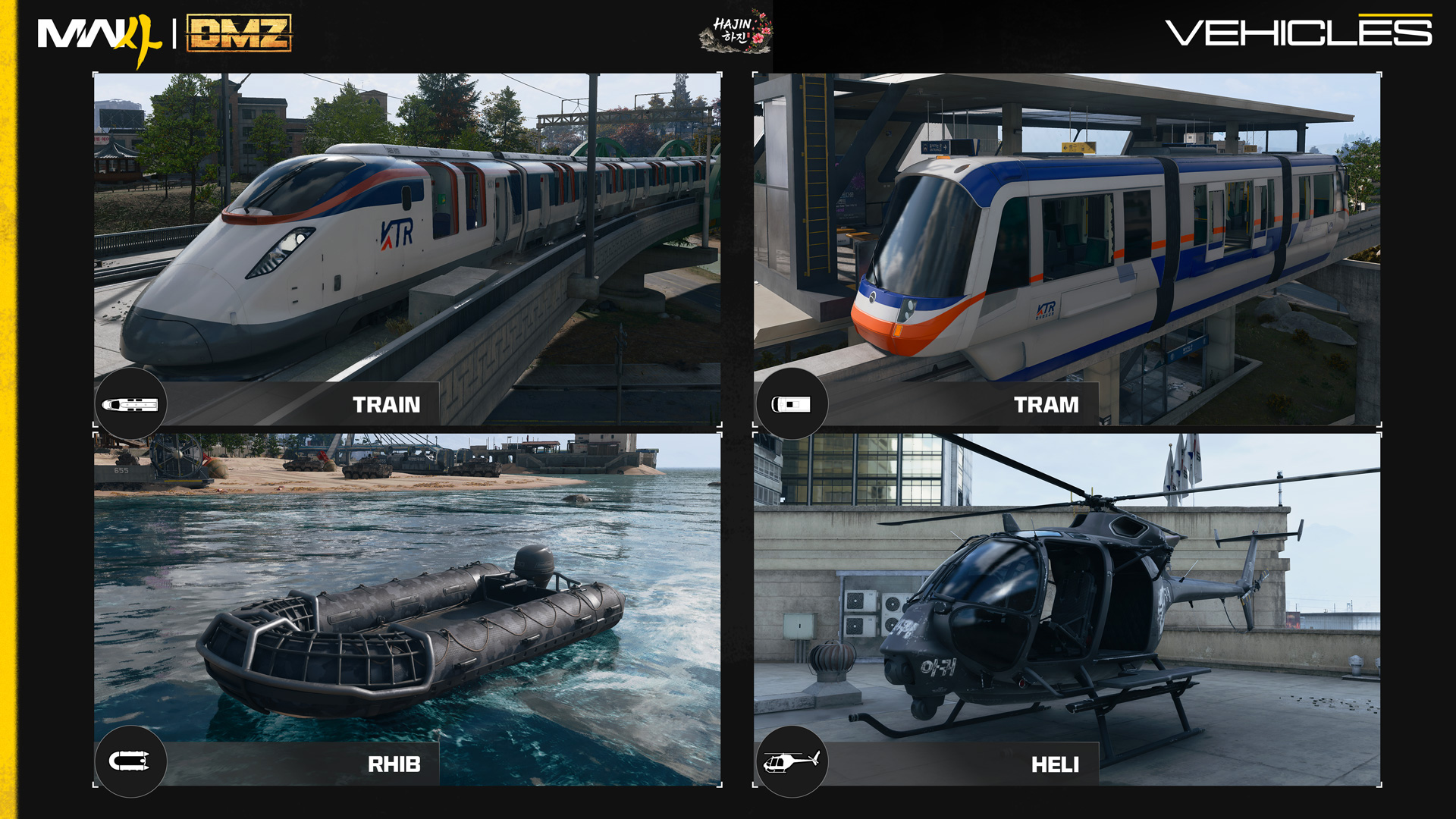
Rail, water and helicopter transport
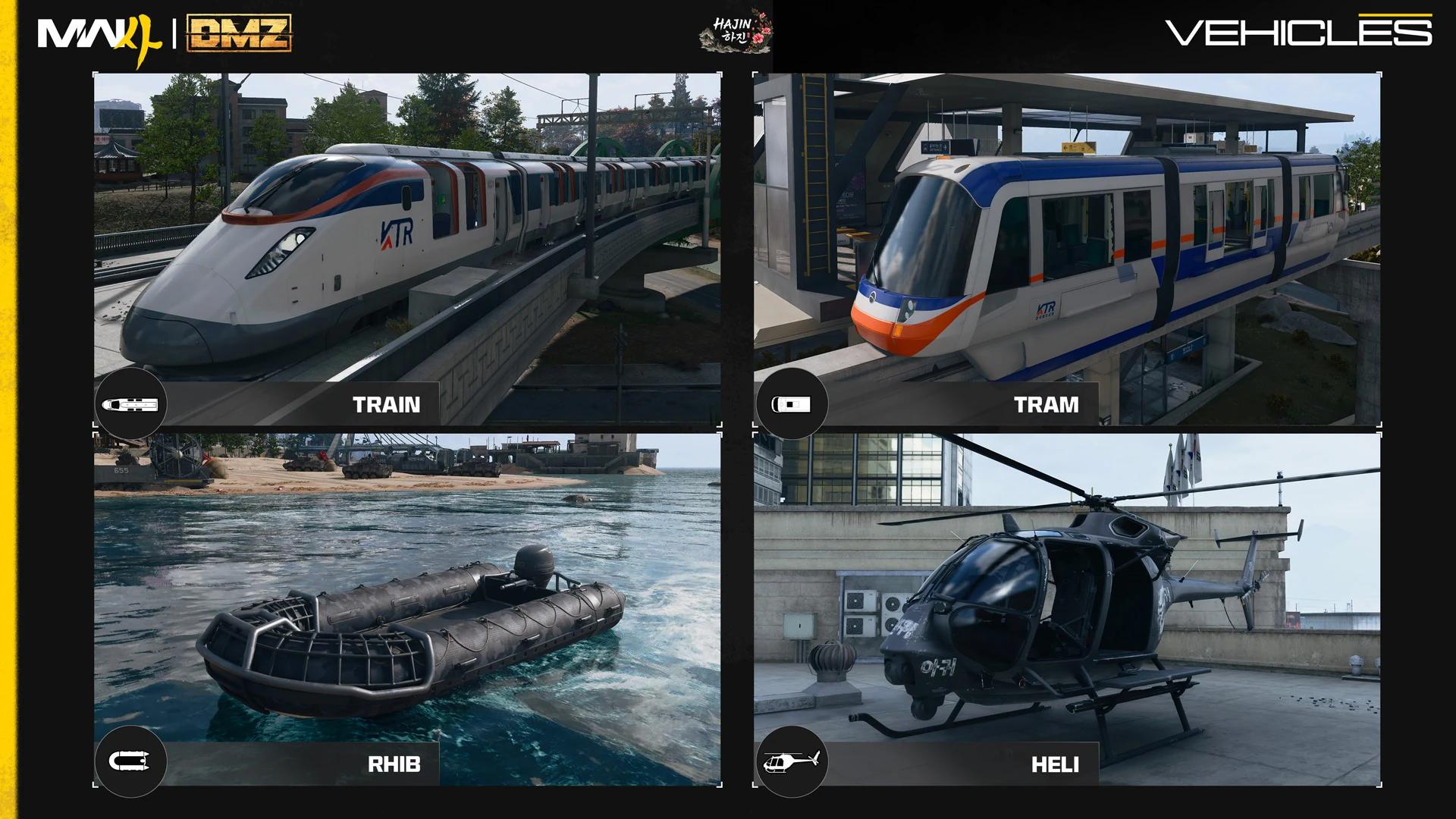
Published recognition board: Train, Tram, RHIB, Heli. These photographs identify vehicle appearances; they do not establish spawn positions, speed or available seats.Image: Activision / Call of Duty · Original image ↗
Rewards and cosmetics
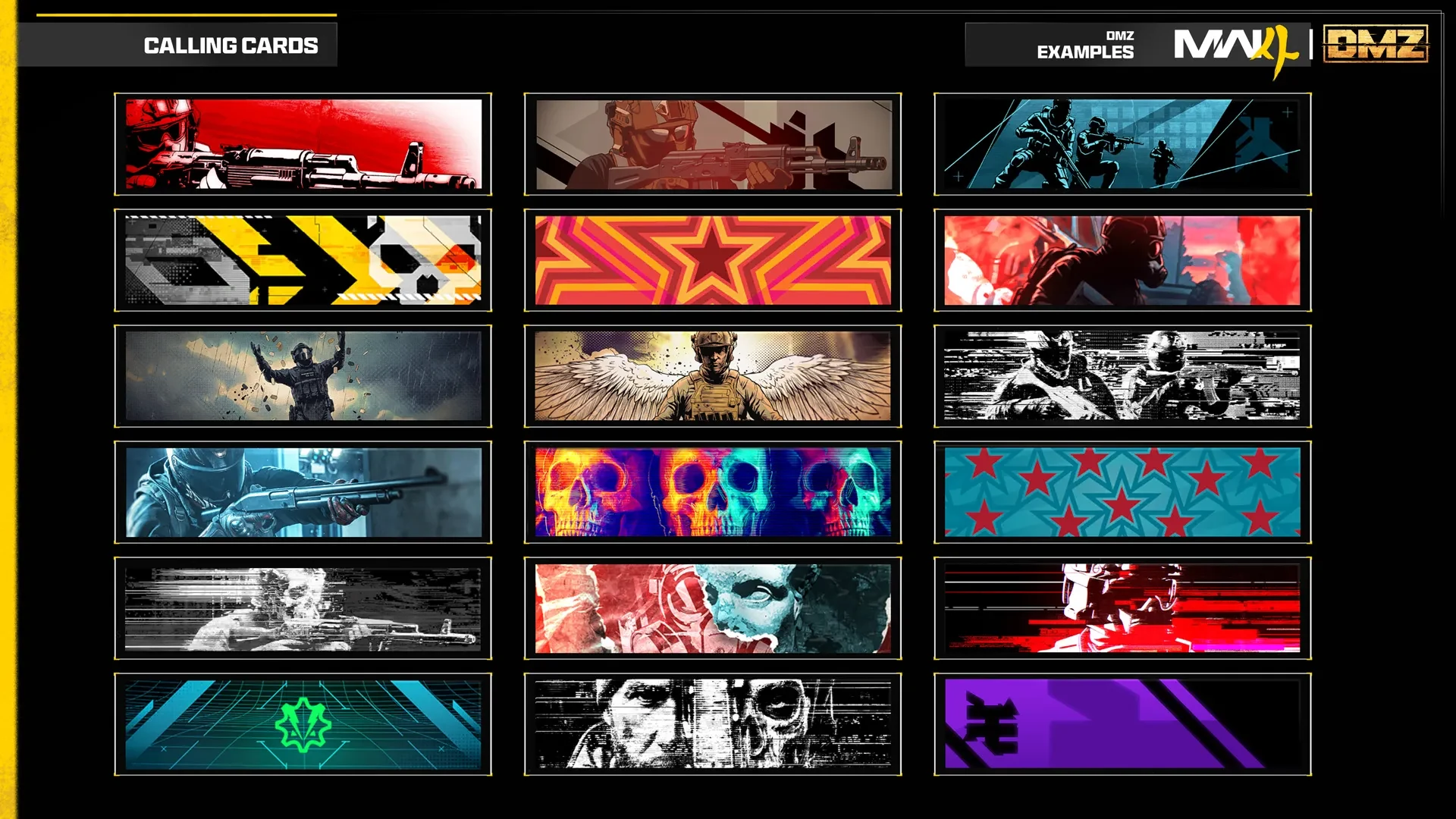
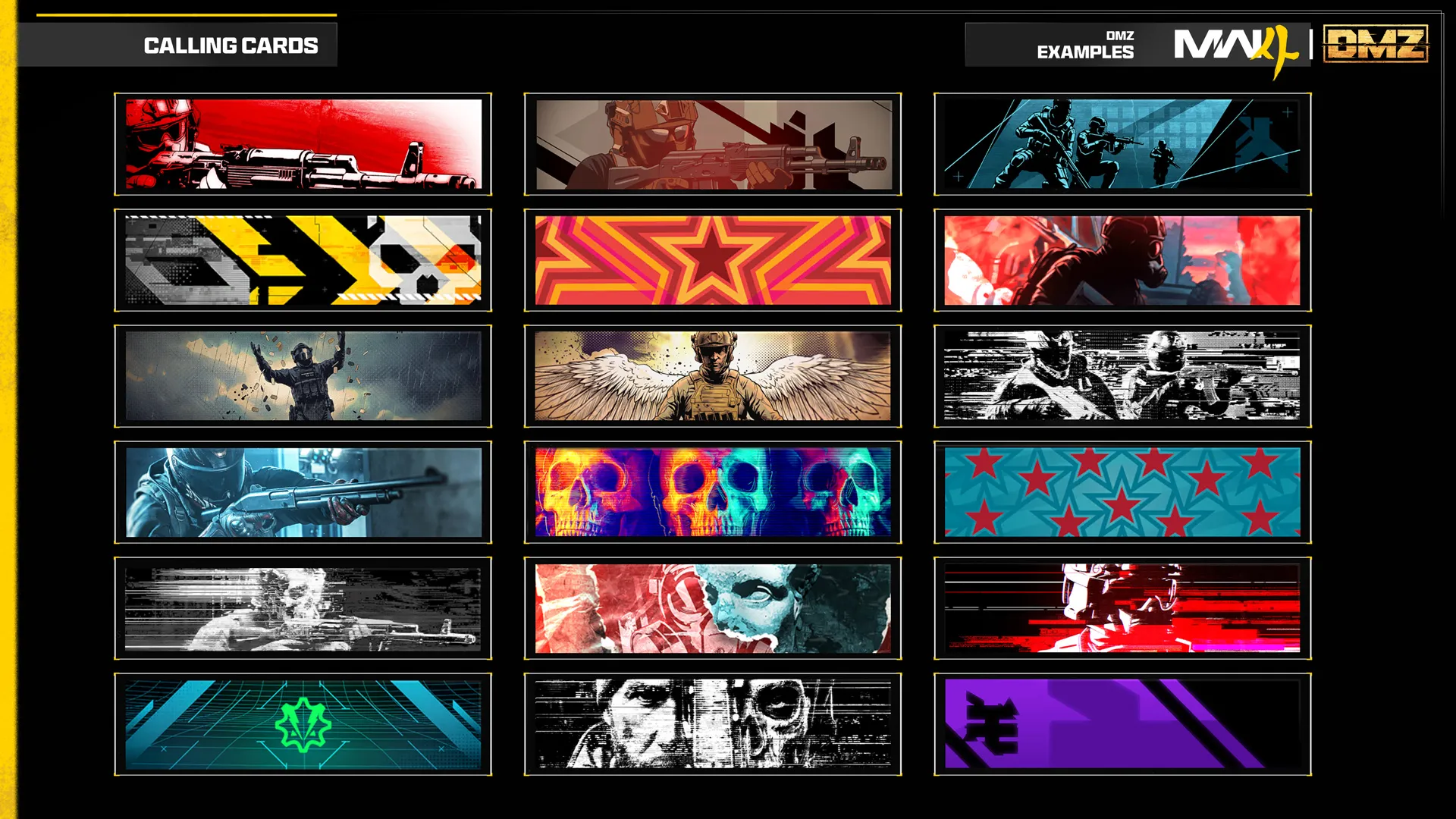
Camo, Calling Card and legacy reward artwork.
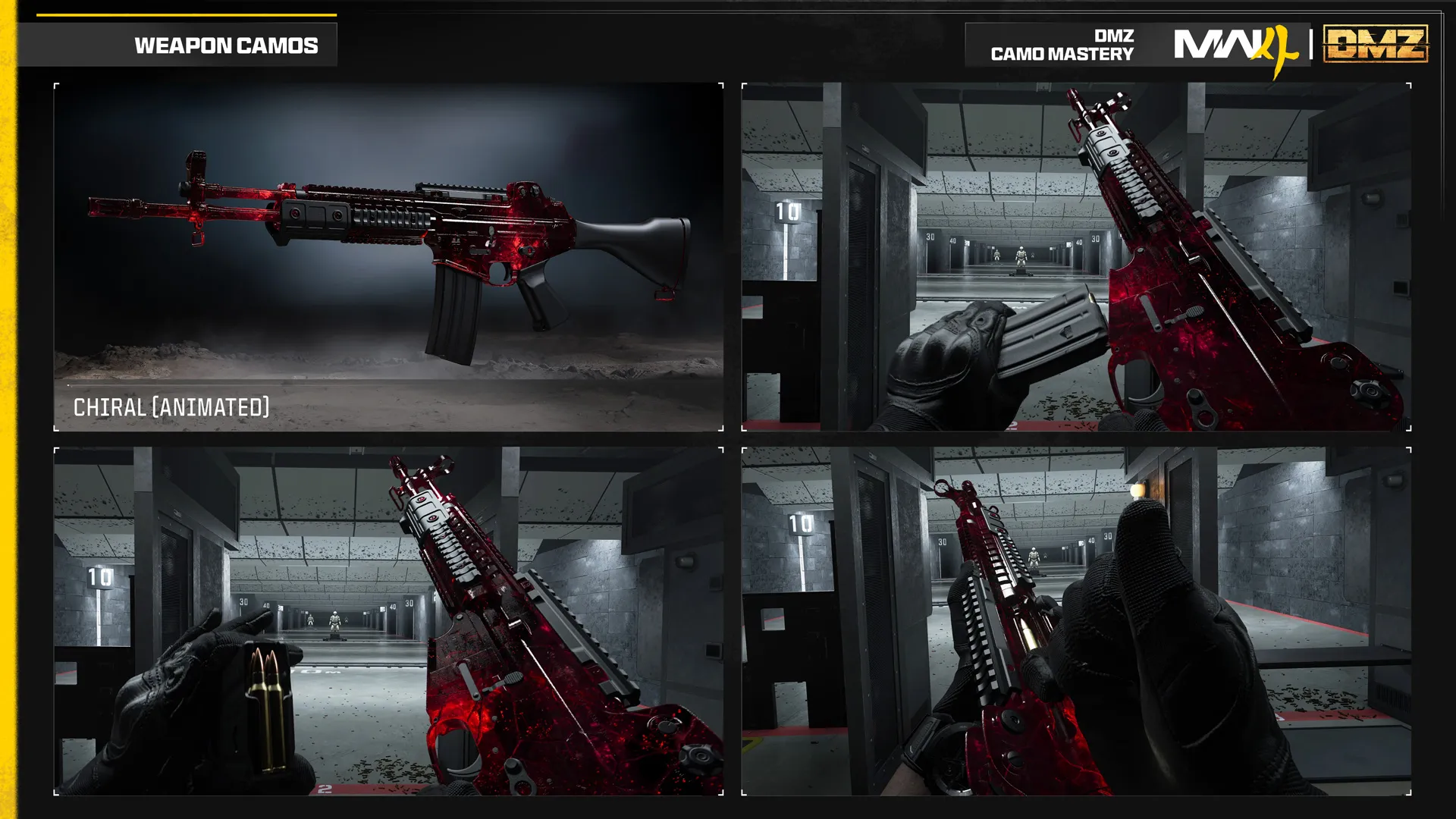
Chiral DMZ camo preview
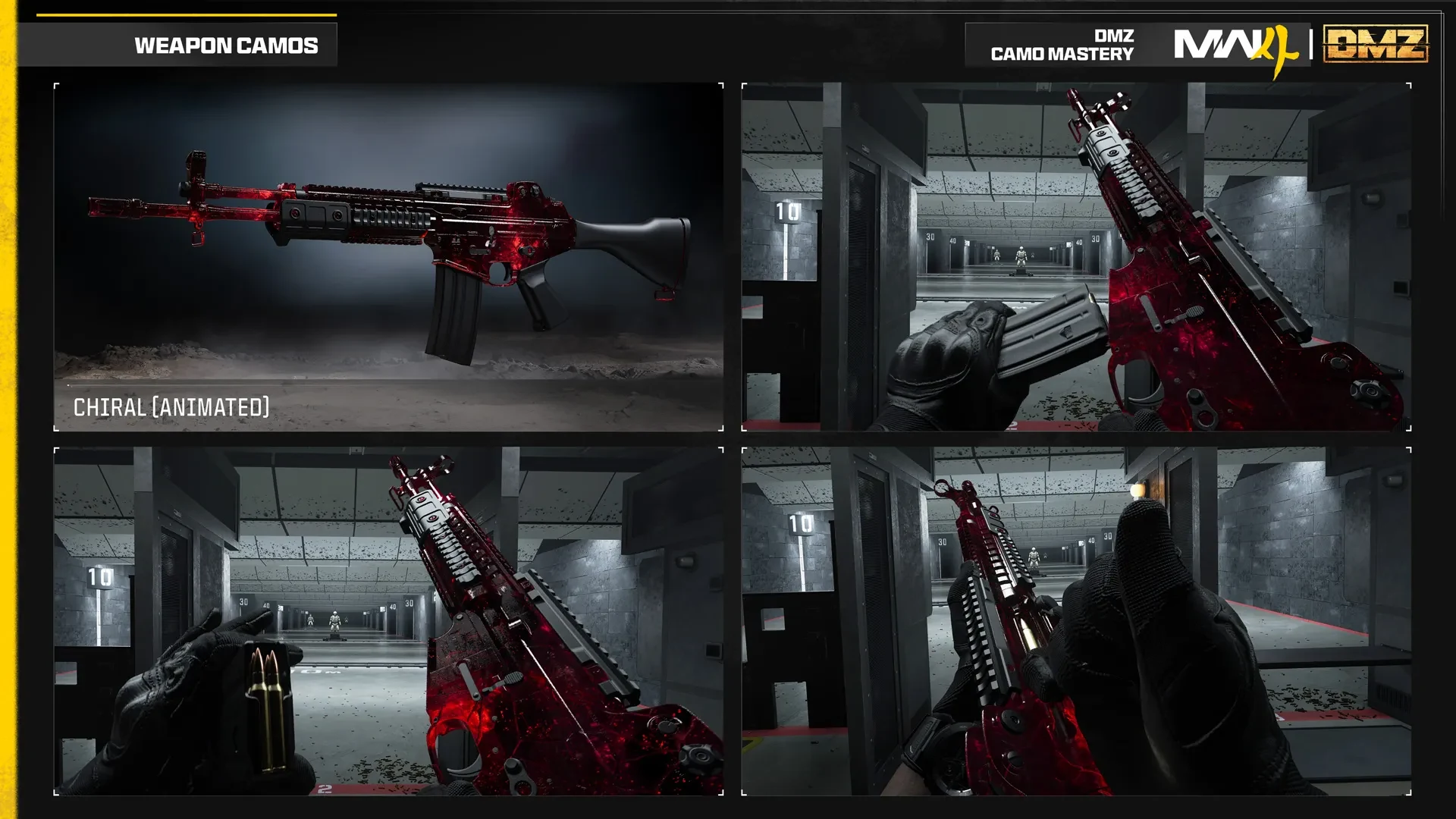
Static official views of Chiral, a DMZ Mastery camo. This page shows still imagery; the illustrated camo is described as animated in-game.Image: Activision / Call of Duty · Original image ↗
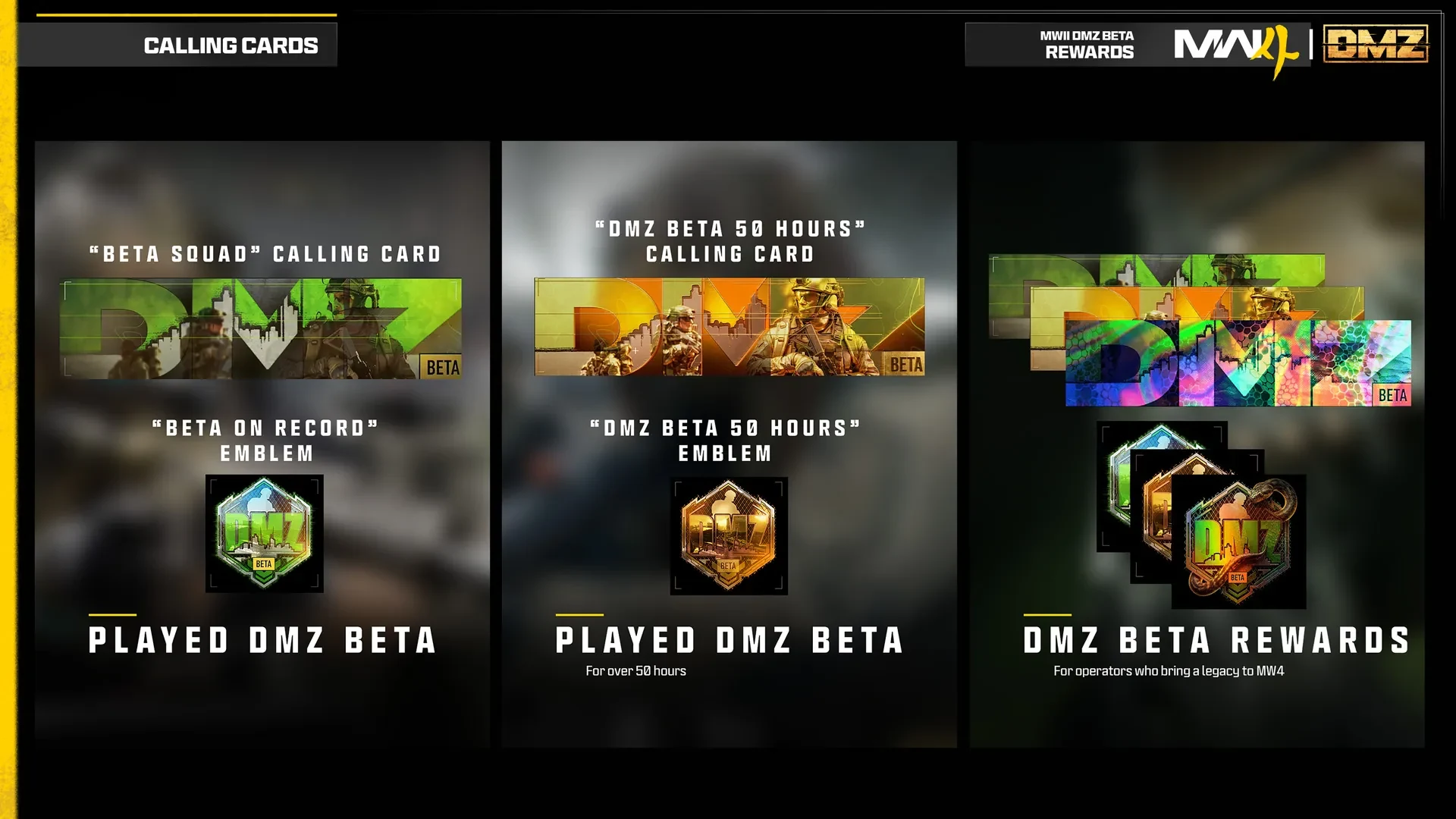
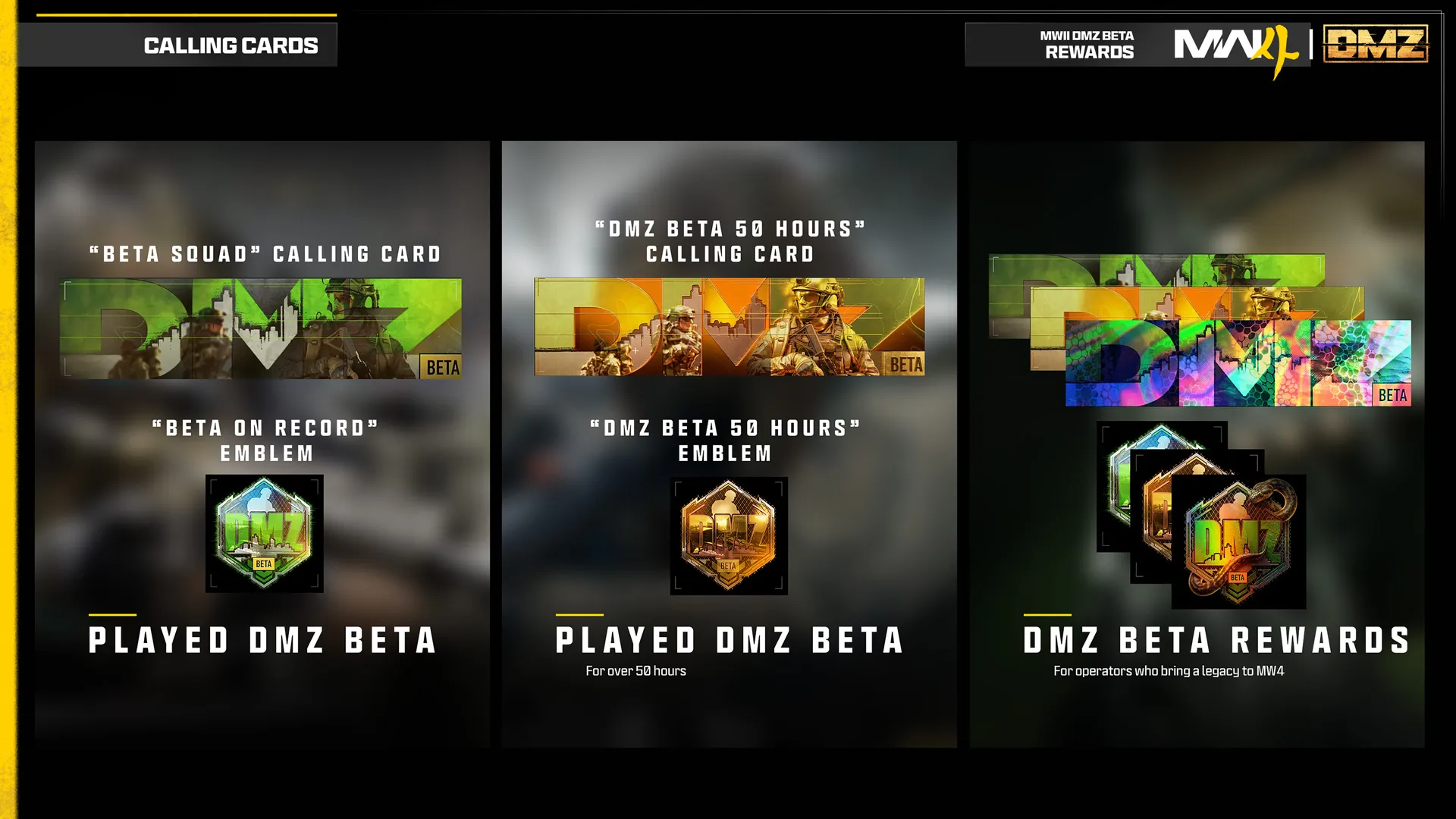
Legacy MWII DMZ Beta reward artwork for MW4. These are account entitlements described by the publisher, not Survival Kits or items found during deployment.Image: Activision / Call of Duty · Original image ↗